ชั้น 29 ออฟฟิศเศส แอท เซ็นทรัลเวิลด์

999/9 พระราม 1 กรุงเทพฯ 10330

บริการตลอด 24 ชั่วโมง

ทุกวัน ไม่เว้นวันหยุด

0-2107-3466

โทรเลยดิจะรออะไร

Home DirectAdmin DirectAdmin User Level วิธีสร้างผู้ใช้ฐานข้อมูลใน DirectAdmin

วิธีสร้างผู้ใช้ฐานข้อมูลใน DirectAdmin

Add user DirectAdmin

หลังจากที่ได้สร้างฐานข้อมูลใน DirectAdmin เรียบร้อยแล้ว คุณสามารถสร้างผู้ใช้ฐานข้อมูลเพิ่มเติม เพื่อแยกการเชื่อมต่อของแต่ละเว็บไซต์หรือแต่ละระบบ ให้การจัดการสิทธิ์การเข้าถึงฐานข้อมูลมีความเป็นระเบียบและปลอดภัยมากขึ้นได้ตามขั้นตอนต่อไปนี้

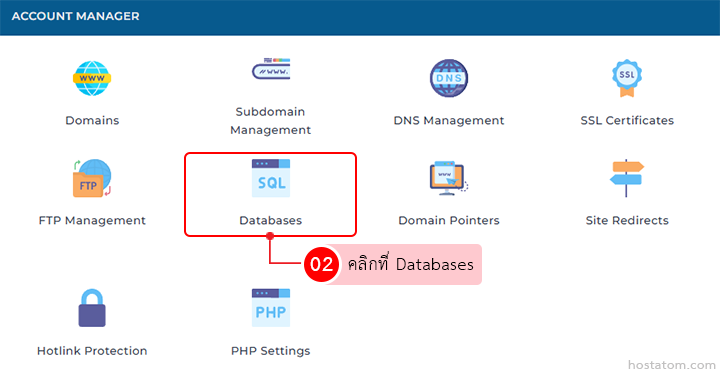
คลิกที่ Databases ในหมวด ACCOUNT MANAGER

Account Manager dashboard; Databases tile highlighted with red outline among domain management options.

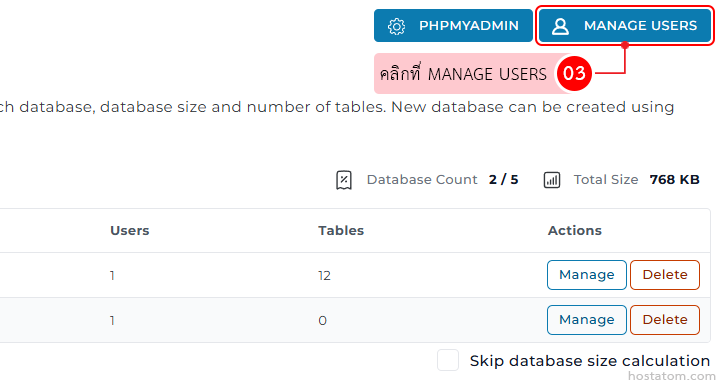
คลิกที่ MANAGE USERS

Admin panel for managing a database: top navigation showing PHPMyAdmin and a highlighted 'Manage Users' button; below is a table with columns Users, Tables, and Actions, with each row containing blue 'Manage' and orange 'Delete' buttons.

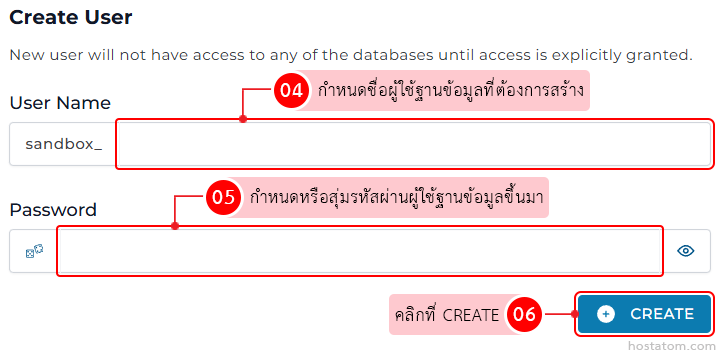
ในส่วน Create User ให้กำหนดชื่อผู้ใช้ฐานข้อมูลที่ต้องการสร้างในช่อง User Name และในช่อง Password ให้กำหนดหรือสุ่มรหัสผ่านของผู้ใช้ฐานข้อมูลขึ้นมา จากนั้นคลิกที่ CREATE

Create User form with fields for User Name and Password, a notice about access, and a blue CREATE button.

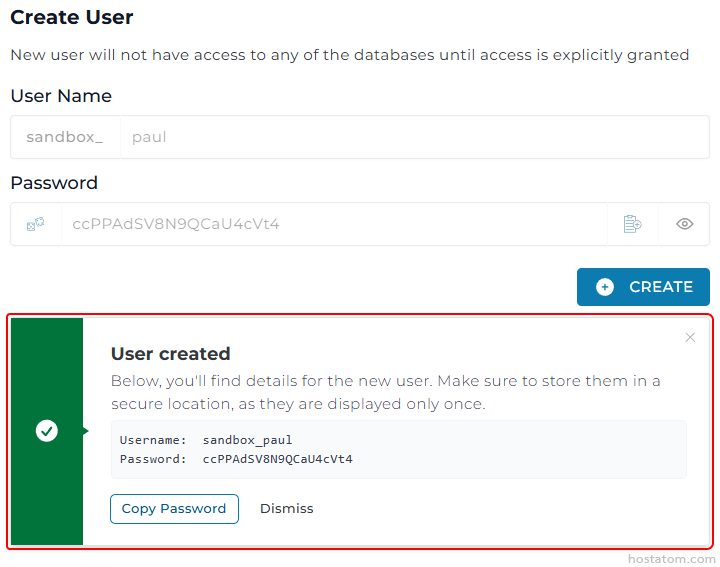
ระบบจะแจ้งว่าได้สร้างผู้ใช้ฐานข้อมูลดังกล่าวขึ้นมาแล้ว โดยจะแสดง Username และ Password ให้สามารถบันทึกไว้ใช้ในภายหลังได้
Create User form; after submission a 'User created' dialog appears showing the username sandbox_paul and its password, with Copy Password and Dismiss options.

หากคุณกำลังมองหาเว็บโฮสติ้งที่ใช้งานง่ายและปลอดภัย สามารถดูรายละเอียดแพ็กเกจ Web Hosting ของเราได้ที่
👉 https://www.hostatom.com/web-hosting