ชั้น 29 ออฟฟิศเศส แอท เซ็นทรัลเวิลด์

999/9 พระราม 1 กรุงเทพฯ 10330

บริการตลอด 24 ชั่วโมง

ทุกวัน ไม่เว้นวันหยุด

0-2107-3466

โทรเลยดิจะรออะไร

knowledge base › DirectAdmin › DirectAdmin User Level › วิธีลบ Host ที่อนุญาตให้เชื่อมต่อฐานข้อมูลใน DirectAdmin

วิธีลบ Host ที่อนุญาตให้เชื่อมต่อฐานข้อมูลใน DirectAdmin

หลังจากเพิ่ม Host หรือ IP Address ที่อนุญาตให้เชื่อมต่อฐานข้อมูลผ่าน DirectAdmin แล้ว หากภายหลังมีการเปลี่ยน IP Address หรือไม่ได้มีการใช้งานแล้ว ก็สามารถลบรายการเหล่านั้นออกได้ตามขั้นตอนต่อไปนี้

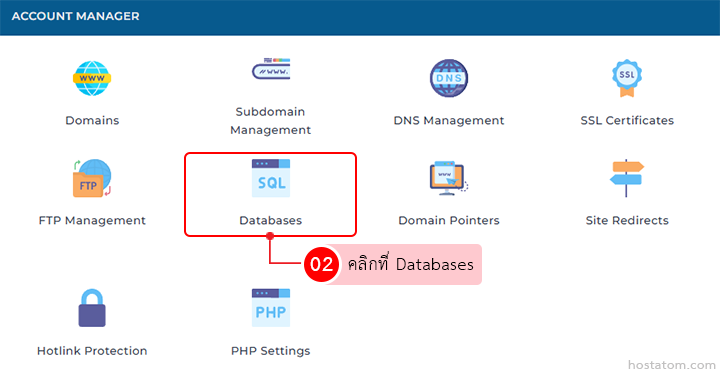
คลิกที่ Databases ในหมวด ACCOUNT MANAGER

Account Manager dashboard; Databases tile highlighted with red outline among domain management options.

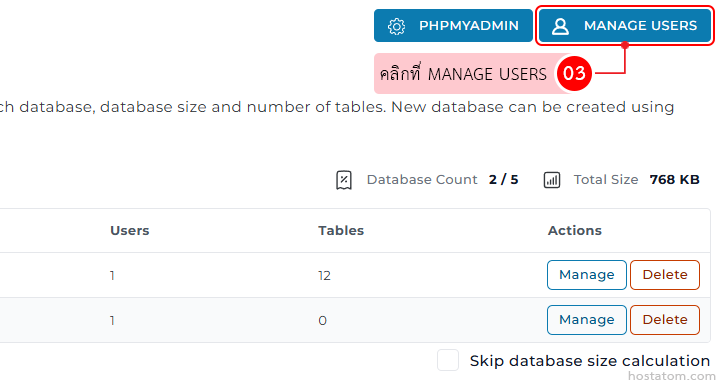
คลิกที่ MANAGE USERS

Admin panel for managing a database: top navigation showing PHPMyAdmin and a highlighted 'Manage Users' button; below is a table with columns Users, Tables, and Actions, with each row containing blue 'Manage' and orange 'Delete' buttons.

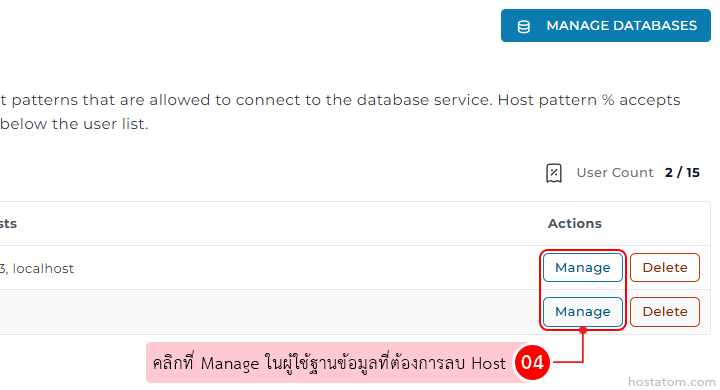
คลิกที่ Manage ในผู้ใช้ฐานข้อมูลที่ต้องการลบ Host

Database management screen showing a list with 'Manage' and 'Delete' actions for each row; a pink tooltip guides selecting the desired database.

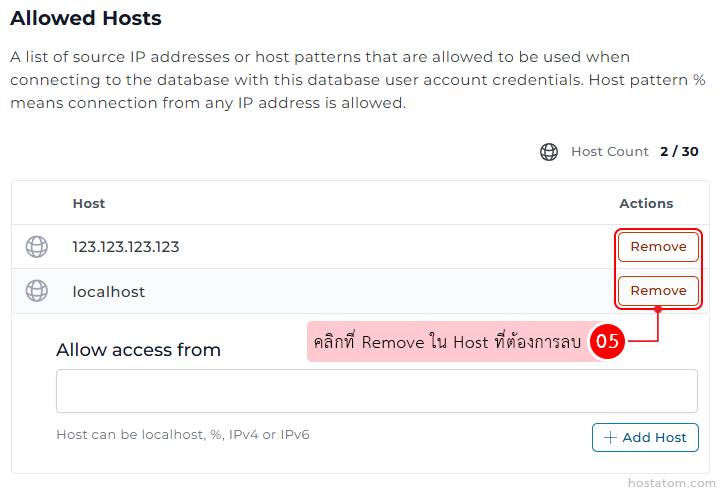
ในส่วน Allowed Hosts ให้คลิกที่ Remove ใน Host ที่ต้องการลบ

UI for Allowed Hosts with two entries (123.123.123.123 and localhost) and Remove buttons to delete each host; below is an Add Host input area.

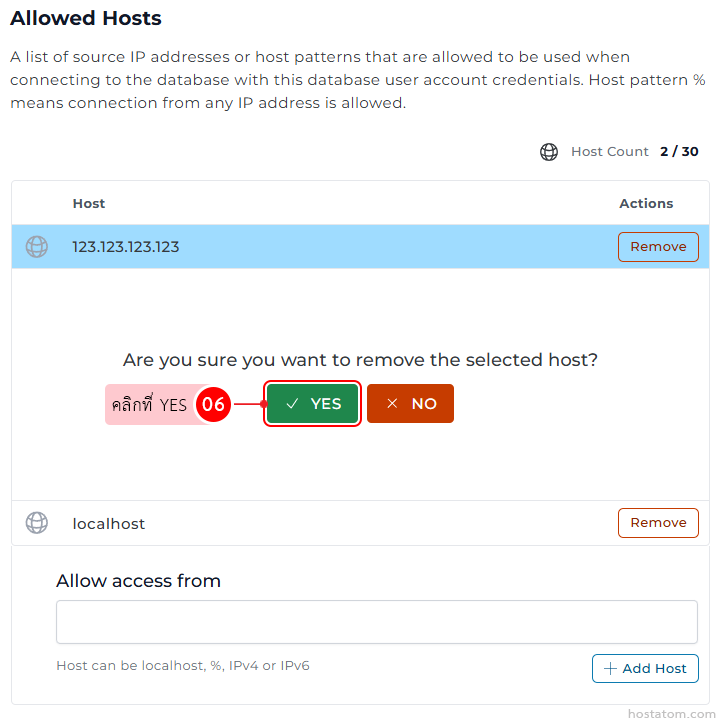
ระบบจะให้ยืนยันการลบ Host ที่เลือกอีกครั้ง ให้คลิกที่ YES

Allowed Hosts page showing host 123.123.123.123 with a Remove button; a confirmation modal asks to confirm removal with Yes and No; below, host localhost with its own Remove button and an Add Host input section.

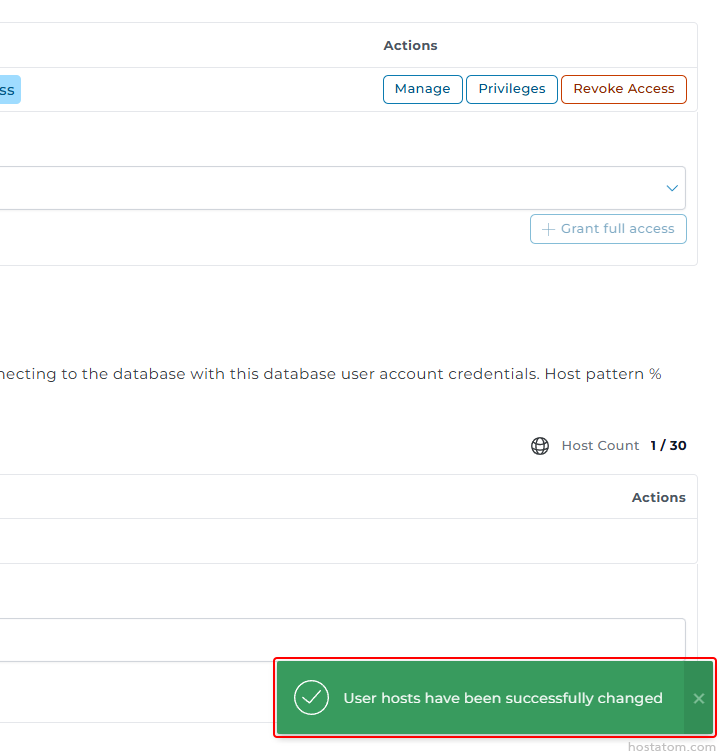
ระบบจะแจ้งว่าได้ลบ Host ดังกล่าวออกจากรายการที่อนุญาตแล้ว
UI panel showing database user access controls with buttons 'Manage', 'Privileges', 'Revoke Access' and a dropdown with 'Grant full access'; a green success toast reads 'User hosts have been successfully changed' at the bottom.

หากคุณกำลังมองหาเว็บโฮสติ้งที่ใช้งานง่ายและปลอดภัย สามารถดูรายละเอียดแพ็กเกจ Web Hosting ของเราได้ที่
👉 https://www.hostatom.com/web-hosting