ชั้น 29 ออฟฟิศเศส แอท เซ็นทรัลเวิลด์

999/9 พระราม 1 กรุงเทพฯ 10330

บริการตลอด 24 ชั่วโมง

ทุกวัน ไม่เว้นวันหยุด

0-2107-3466

โทรเลยดิจะรออะไร

Home DirectAdmin User Level วิธีเปลี่ยนโดเมนอื่นเป็นโดเมนเริ่มต้นใน DirectAdmin

วิธีเปลี่ยนโดเมนอื่นเป็นโดเมนเริ่มต้นใน DirectAdmin

Change another domain default domain DirectAdmin

สำหรับผู้ที่ใช้งาน control panel ของ DirectAdmin สามารถเลือกเปลี่ยนให้โดเมนอื่นที่มีอยู่เป็นโดเมนเริ่มต้น เพื่อให้ระบบใช้งานโดเมนนั้นเป็นหลัก เช่น เวลาเข้าสู่ File Manager หรือแสดงผลเว็บไซต์หลักได้ตามขั้นตอนต่อไปนี้

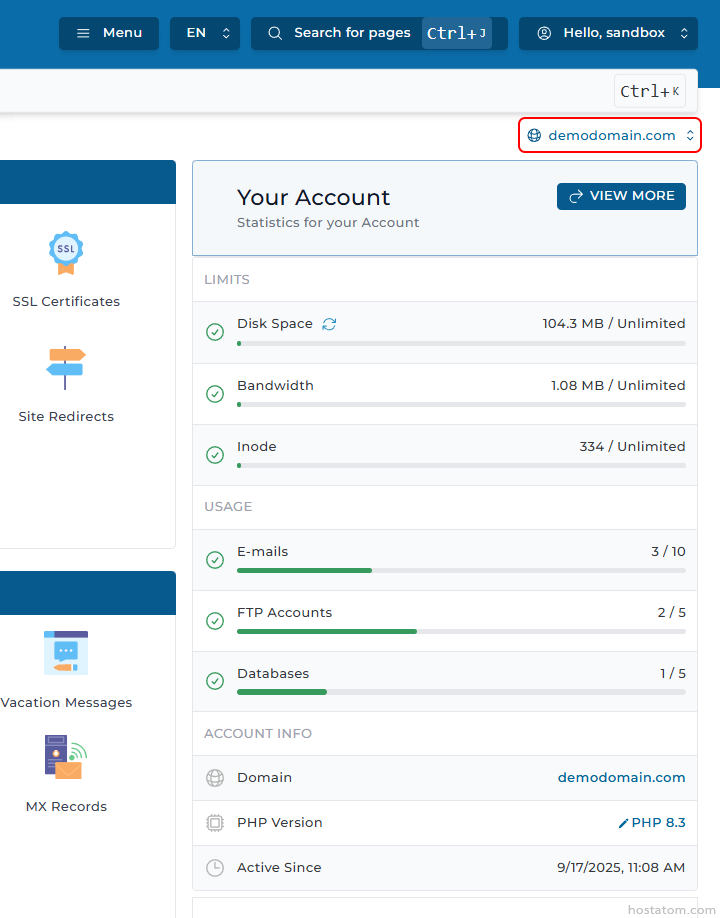
ในตอนที่เข้าสู่ระบบ โดเมนเริ่มต้นทางฝั่งขวาจะแสดงเป็นโดเมนปัจจุบัน โดยในคู่มือนี้จะแสดงเป็น demodomain.com

Account dashboard for demodomain.com showing usage: disk space, bandwidth, inodes, emails, FTP accounts, databases, and domain info (PHP version, active since).

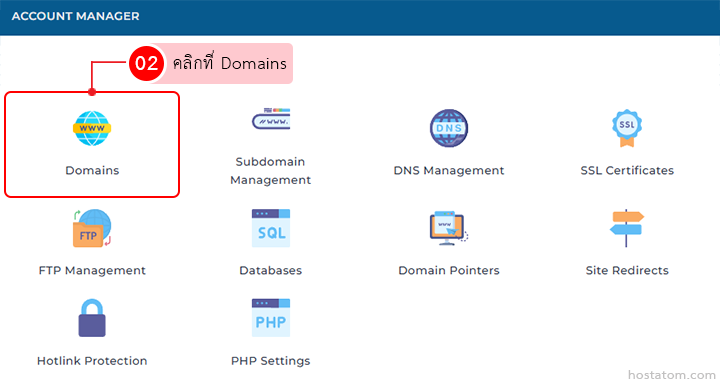
คลิกที่ Domains ในหมวด ACCOUNT MANAGER

Account Manager dashboard with Domains tile highlighted (red outline) among other options like Subdomain Management and DNS Management

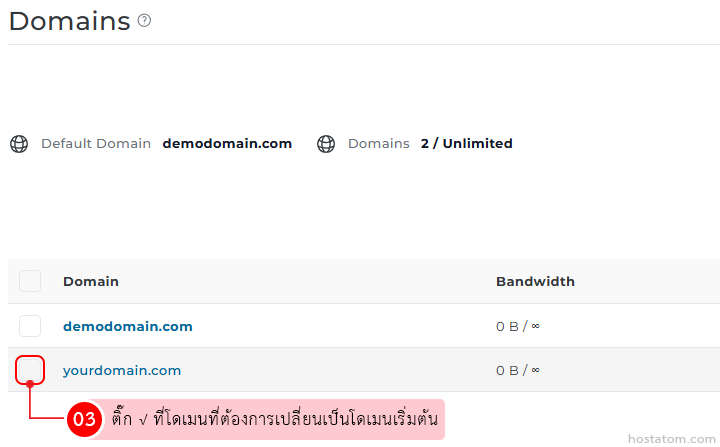
ติ๊ก √ ที่โดเมนที่ต้องการเปลี่ยนเป็นโดเมนเริ่มต้น

Domains management panel listing demodomain.com and yourdomain.com; use the checkbox to set a default domain.

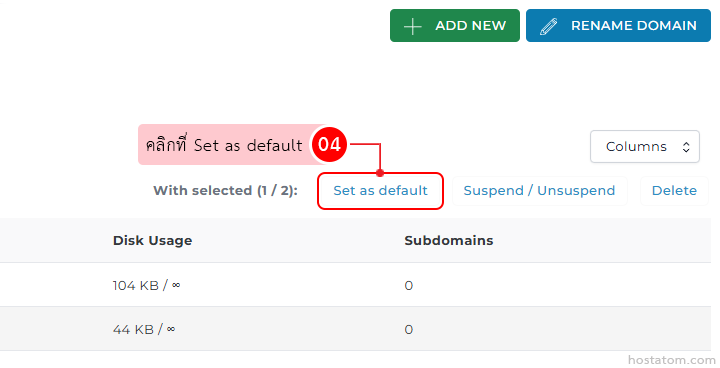
คลิกที่ Set as default

Domain management dashboard: the selected item shows a highlighted 'Set as default' button, with nearby 'Suspend/Unsuspend' and 'Delete' actions and a Disk Usage/Subdomains table.

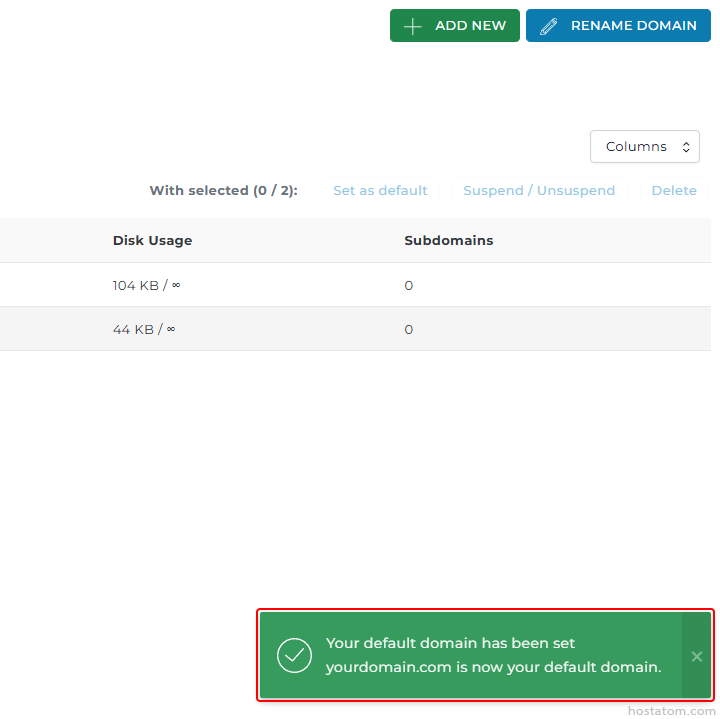
ระบบจะแจ้งว่าได้เปลี่ยนโดเมนดังกล่าวให้เป็นโดเมนเริ่มต้นแล้ว โดยที่ Default Domain จะระบุเป็นโดเมนที่เลือก และโดเมนที่เป็นโดเมนเริ่มต้นจะมีชื่อโดเมนเป็นตัวหนาดังภาพตัวอย่าง

Domain management screen with Add New and Rename Domain buttons, a Disk Usage/Subdomains table, and a green notification stating the default domain has been set.

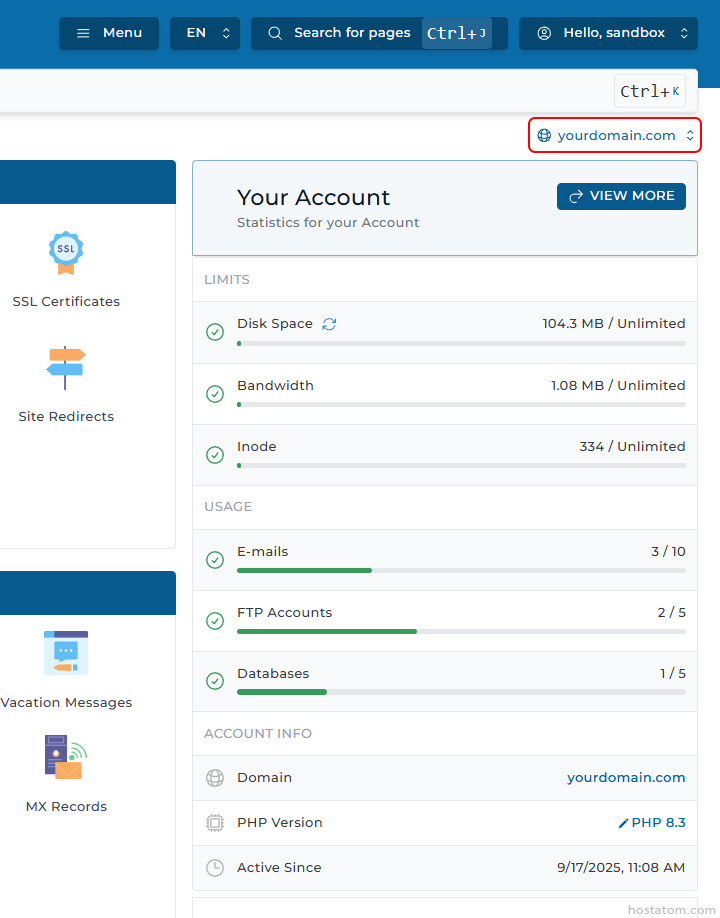
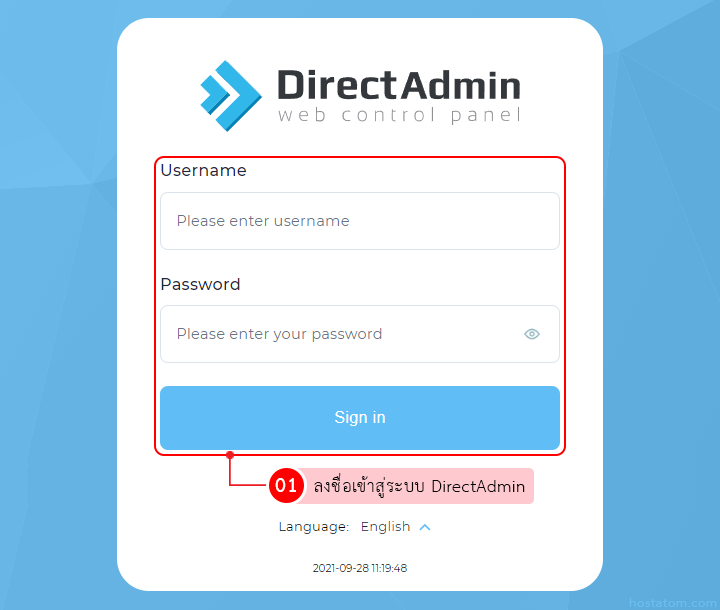
ในการเข้าสู่ระบบหลังจากนี้ โดเมนเริ่มต้นที่ฝั่งขวาบนจะเปลี่ยนเป็นโดเมนที่เลือกไว้ โดยจะเปลี่ยนโดเมนเริ่มต้นจาก demodomain.com เป็น yourdomain.com ดังภาพตัวอย่าง
Hosting dashboard showing account stats: left navigation with SSL and redirects; main card titled 'Your Account' displaying usage bars for Disk Space, Bandwidth, Inode, Emails, FTP Accounts, and Databases, plus account info (Domain, PHP Version, Active Since).

หากคุณกำลังมองหาเว็บโฮสติ้งที่ใช้งานง่ายและปลอดภัย สามารถดูรายละเอียดแพ็กเกจ Web Hosting ของเราได้ที่
👉 https://www.hostatom.com/web-hosting