999/9 พระราม 1 กรุงเทพฯ 10330
ทุกวัน ไม่เว้นวันหยุด
โทรเลยดิจะรออะไร
หลังจากสร้างและใช้งาน Group Contact ใน Roundcube Webmail ไปสักระยะ หากมี Group Contact ที่ไม่ต้องการใช้งานแล้ว ก็สามารถลบกลุ่มผู้ติดต่อเหล่านั้นออกโดยไม่กระทบต่อรายชื่อผู้ติดต่อที่มีอยู่ได้ตามขั้นตอนต่อไปนี้
เริ่มจาก login เข้าใช้งาน Roundcube
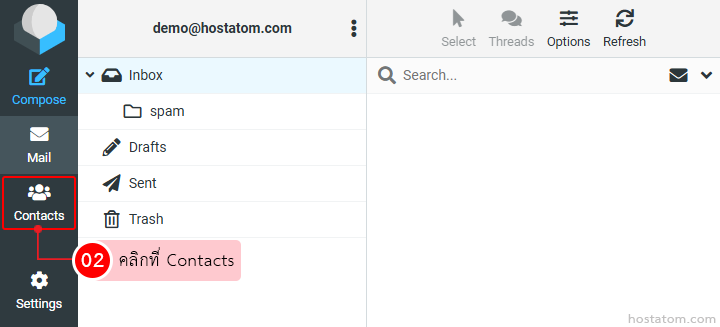
คลิกที่ Contacts
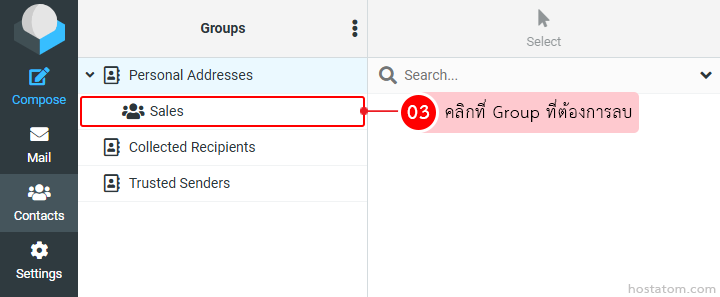
คลิกที่ Group ที่ต้องการลบ
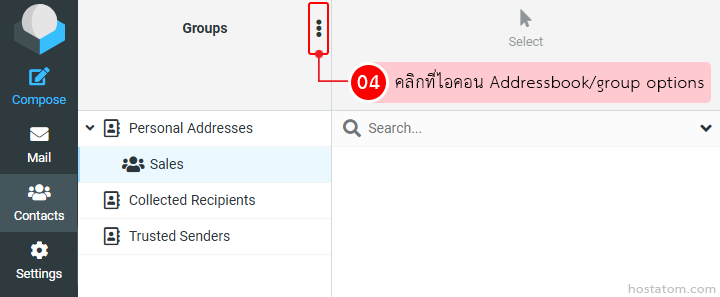
คลิกที่ไอคอน Addressbook/group options
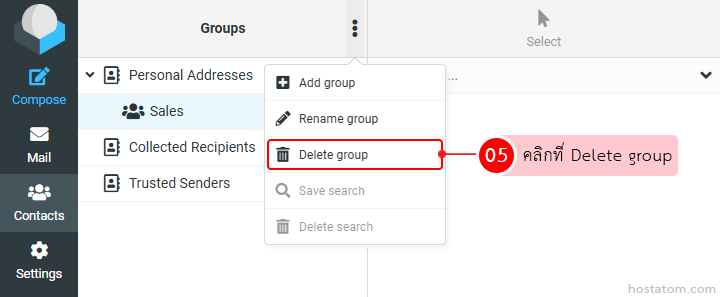
คลิกที่ Delete Group
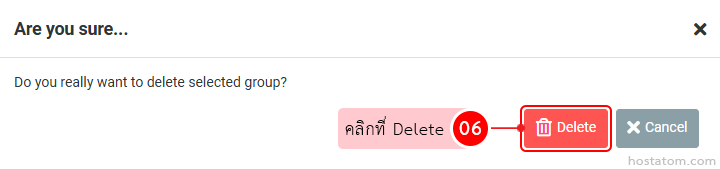
ระบบจะแสดงหน้าต่างยืนยันการลบ Group ที่เลือกขึ้นมา ให้คลิกที่ Delete
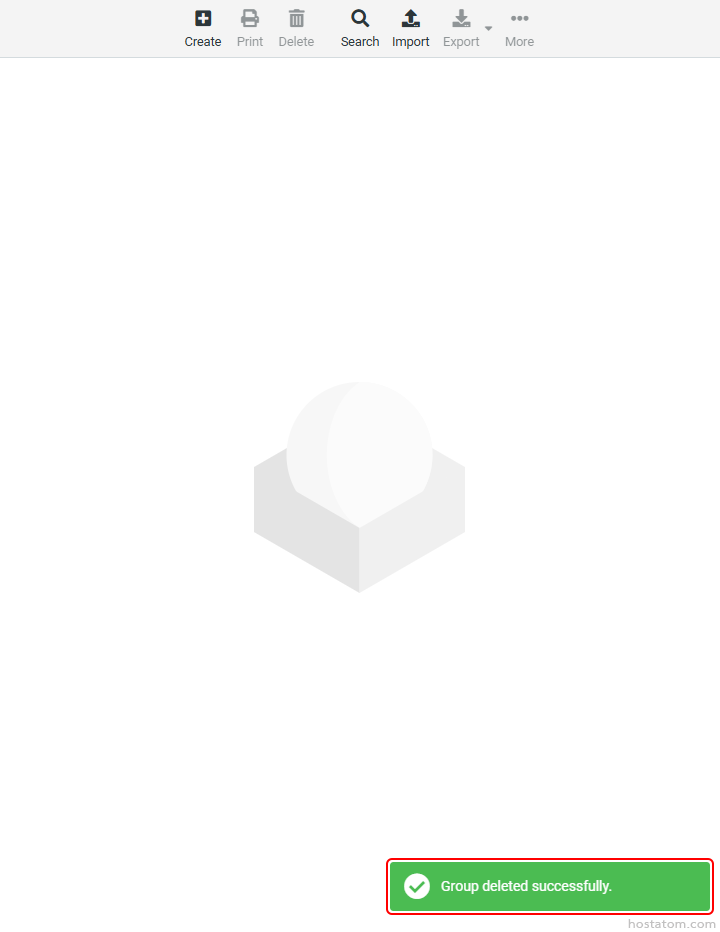
ระบบจะแจ้งว่าได้ลบ Group ดังกล่าวแล้ว
หากคุณกำลังมองหาเว็บโฮสติ้งที่ใช้งานง่ายและปลอดภัย สามารถดูรายละเอียดแพ็กเกจ Web Hosting ของเราได้ที่👉 https://www.hostatom.com/web-hosting
วิธีเพิ่ม/ลบผู้ติดต่อใน Group Contact ของ Roundcube Webmail
วิธีเพิ่มรายชื่อผู้ติดต่อใน Roundcube Webmail
วิธีเปลี่ยนชื่อ Group Contact ใน RoundCube Webmail
วิธีสร้าง Group Contact ใน RoundCube Webmail
วิธีตั้งค่าชื่อผู้ส่ง ใน Roundcube Webmail