ชั้น 29 ออฟฟิศเศส แอท เซ็นทรัลเวิลด์

999/9 พระราม 1 กรุงเทพฯ 10330

บริการตลอด 24 ชั่วโมง

ทุกวัน ไม่เว้นวันหยุด

0-2107-3466

โทรเลยดิจะรออะไร

Home Roundcube วิธีลบผู้ติดต่อใน Roundcube Webmail

วิธีลบผู้ติดต่อใน Roundcube Webmail

หลังจากเพิ่มรายชื่อผู้ติดต่อใน Roundcube Webmail แล้ว เมื่อใช้งานไปสักระยะ ก็อาจมีผู้ติดต่อบางรายที่ไม่จำเป็นหรือไม่ได้ใช้งานแล้ว โดยคุณสามารถลบผู้ติดต่อเหล่านั้นออก เพื่อให้การค้นหาและจัดการรายชื่อผู้ติดต่อเป็นระเบียบมากขึ้นได้ตามขั้นตอนต่อไปนี้

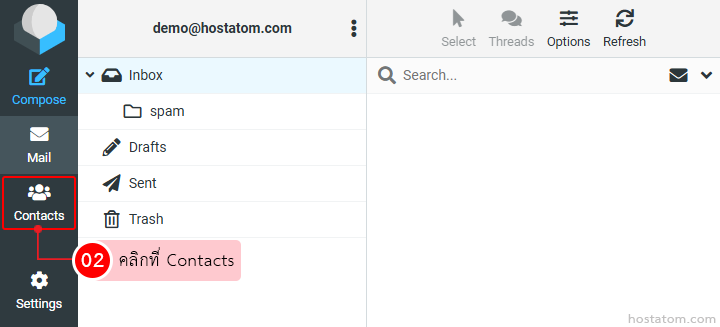
คลิกที่ Contacts

Left-side navigation of an email app; the 'Contacts' tab is selected, highlighted with a red box, indicating to click Contacts.

กรณีที่ลบแค่รายชื่อเดียว

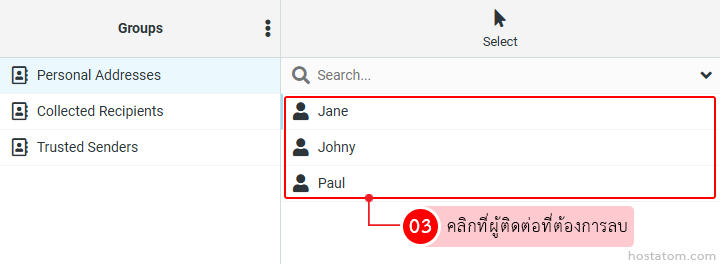
คลิกที่ผู้ติดต่อที่ต้องการลบ

Dropdown list of contacts with Jane, Johny, and Paul; select a contact to delete (Step 3).

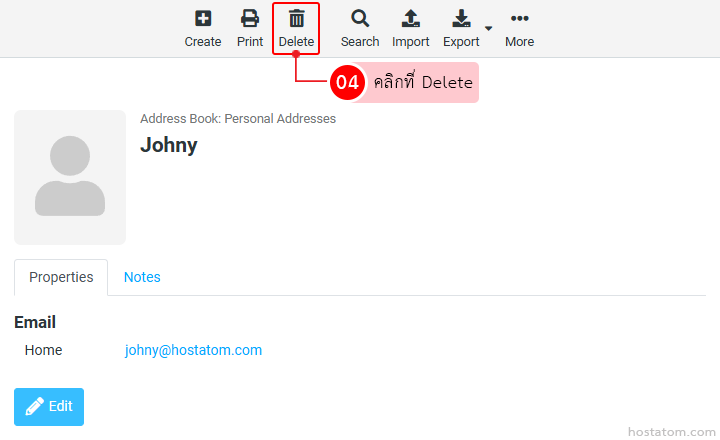
คลิกที่ Delete

Contact details for Johny in Address Book with Delete option highlighted in the toolbar above

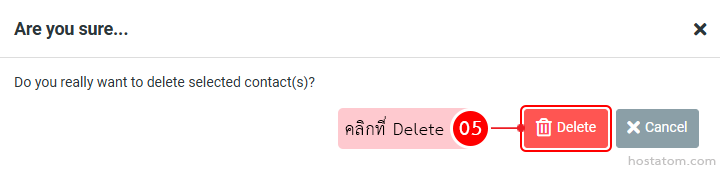
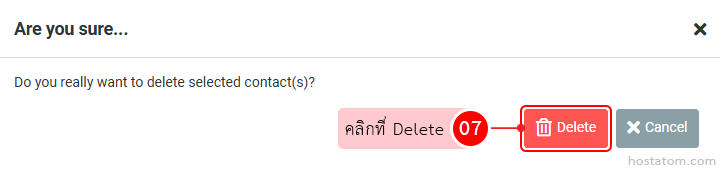
ระบบจะแสดงหน้าต่างยืนยันการลบผู้ติดต่อที่เลือกขึ้นมา ให้คลิกที่ Delete

Confirmation dialog asking to delete the selected contact(s) with options Delete (red) and Cancel.

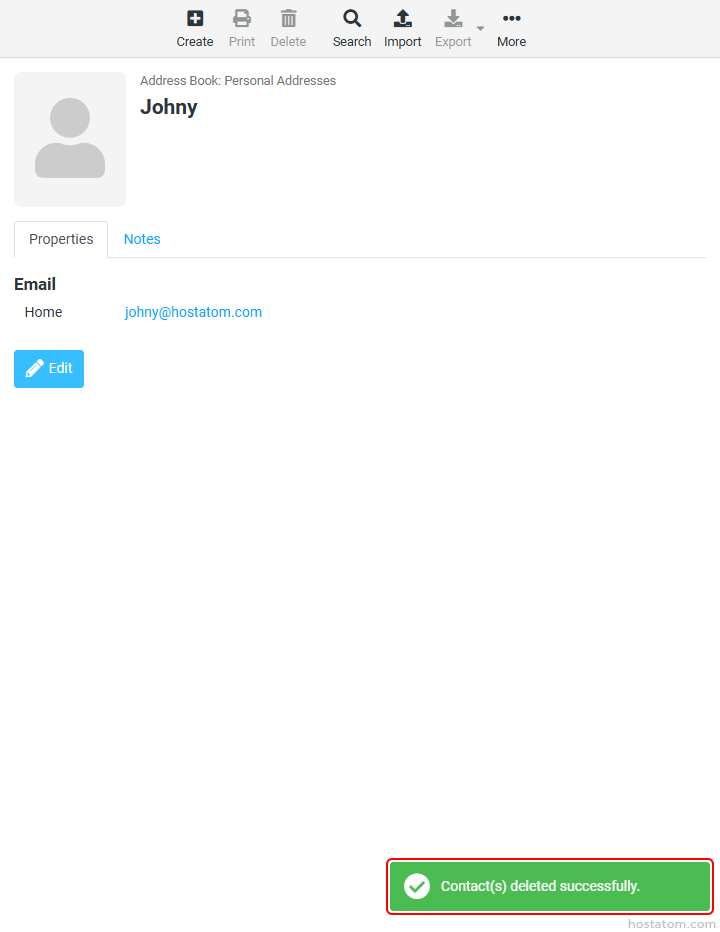
ระบบจะแจ้งว่าได้ลบผู้ติดต่อดังกล่าวแล้ว

Profile page for Johny showing address book entry with email johny@hostatom.com; bottom-right toast confirms actions.

กรณีที่ลบทีละหลายรายชื่อ

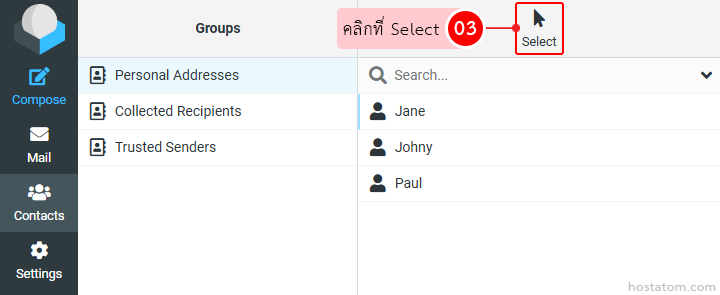
คลิกที่ Select

Screenshot of an email/contacts UI: left navigation (Compose, Mail, Contacts, Settings) and a Groups tab showing Personal Addresses, Collected Recipients, Trusted Senders; a highlighted Select button with cursor and a right pane listing Jane, Johny, Paul with a search bar above.

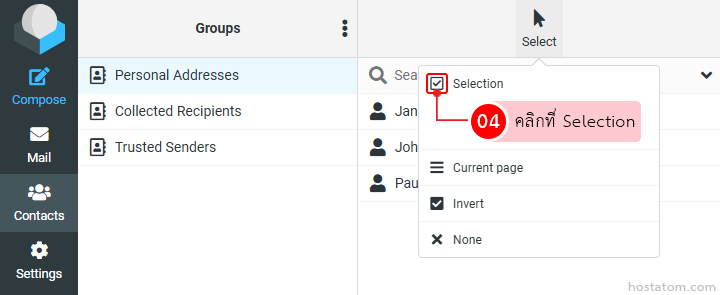
คลิกที่ Selection

Screenshot of a contacts app: left menu icons; groups list; and a Selection dropdown with a checked box.

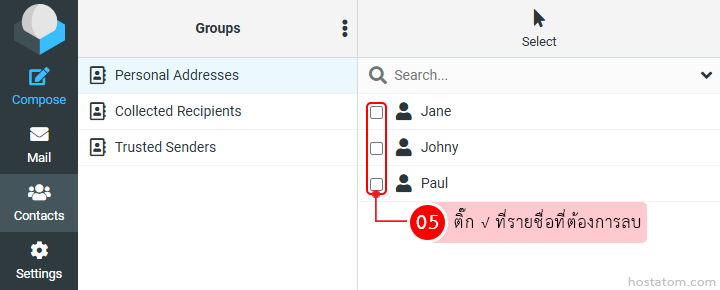
ติ๊ก √ ที่รายชื่อที่ต้องการลบ

Contacts management UI with groups on the left and a list of recipients (Jane, Johny, Paul) with selection checkboxes for bulk action (e.g., delete).

คลิกที่ Delete

Toolbar with icons: Create, Print, Delete (highlighted), Search, Import, Export, More; Delete button emphasized.

ระบบจะแสดงหน้าต่างยืนยันการลบผู้ติดต่อที่เลือกขึ้นมา ให้คลิกที่ Delete

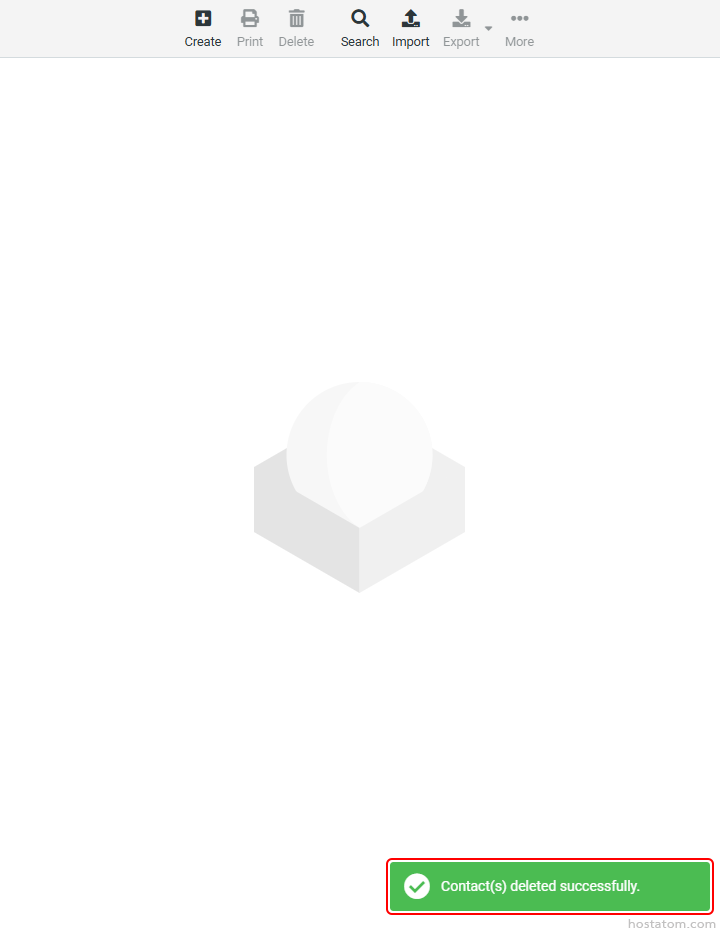
ระบบจะแจ้งว่าได้ลบผู้ติดต่อดังกล่าวแล้ว

Green success toast at bottom-right stating 'Contact(s) deleted successfully' with a checkmark icon in the banner's left side.

หากคุณกำลังมองหาเว็บโฮสติ้งที่ใช้งานง่ายและปลอดภัย สามารถดูรายละเอียดแพ็กเกจ Web Hosting ของเราได้ที่
👉 https://www.hostatom.com/web-hosting