ชั้น 29 ออฟฟิศเศส แอท เซ็นทรัลเวิลด์

999/9 พระราม 1 กรุงเทพฯ 10330

บริการตลอด 24 ชั่วโมง

ทุกวัน ไม่เว้นวันหยุด

0-2107-3466

โทรเลยดิจะรออะไร

Home Roundcube วิธีลบผู้ติดต่อออกจาก Group Contact ใน Roundcube Webmail

วิธีลบผู้ติดต่อออกจาก Group Contact ใน Roundcube Webmail

หลังจากสร้าง Group Contact และเพิ่มผู้ติดต่อเข้ากลุ่มเรียบร้อยแล้ว อาจมีบางกรณีที่ต้องนำสมาชิกบางรายออกจากกลุ่ม เช่น การเปลี่ยนแผนกหรือย้ายทีมงาน ซึ่งใน Roundcube Webmail สามารถนำผู้ติดต่อเหล่านั้นออกโดยที่ไม่กระทบกับข้อมูลผู้ติดต่อเดิมได้ตามขั้นตอนต่อไปนี้

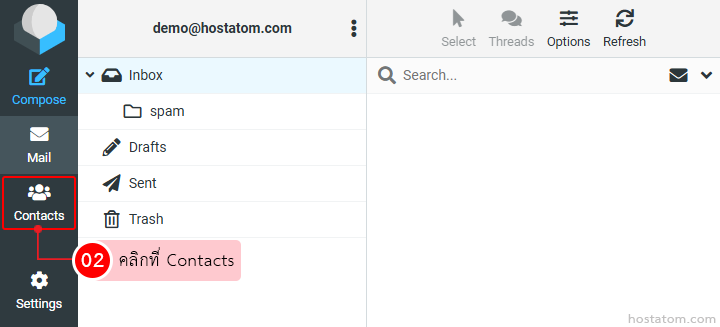
คลิกที่ Contacts

Left-side navigation of an email app; the 'Contacts' tab is selected, highlighted with a red box, indicating to click Contacts.

กรณีที่ลบผู้ติดต่อรายเดียว

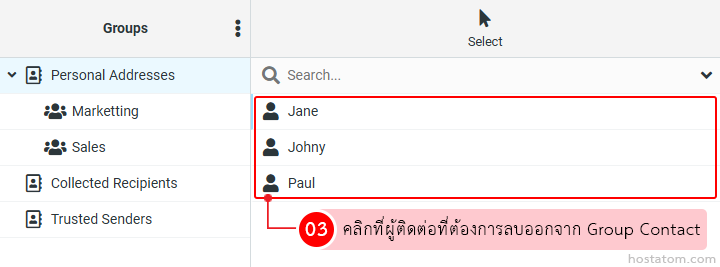
คลิกที่ผู้ติดต่อที่ต้องการลบออกจาก Group Contact

Group Contacts editor showing selected contacts Jane, Johny and Paul with a Thai removal instruction.

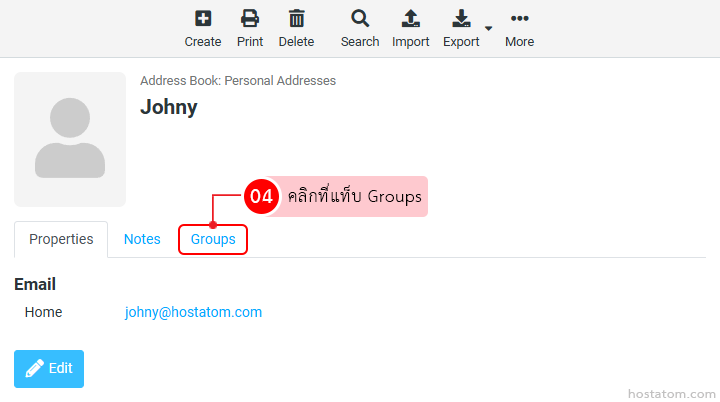
ในหน้าข้อมูลผู้ติดต่อ ให้คลิกที่แท็บ Groups

Profile page for Johny in an address book; avatar on left, name at top, with Tabs including Notes and highlighted Groups tab.

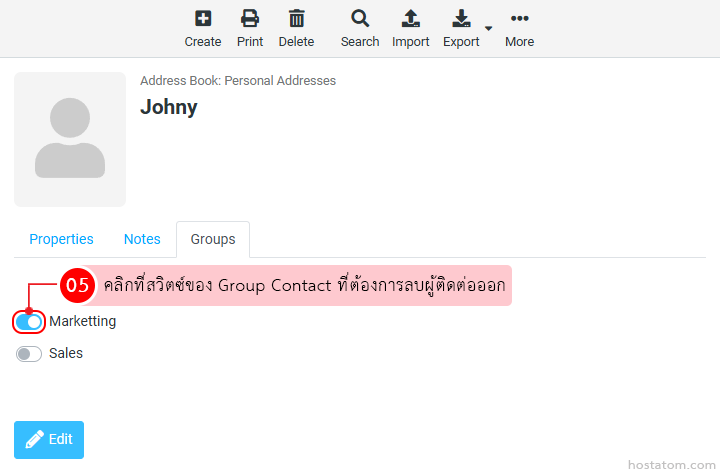
คลิกที่สวิตซ์ของ Group Contact ที่ต้องการลบผู้ติดต่อออก

Contact card for Johny in Address Book; Groups tab shows Marketing on and Sales off.

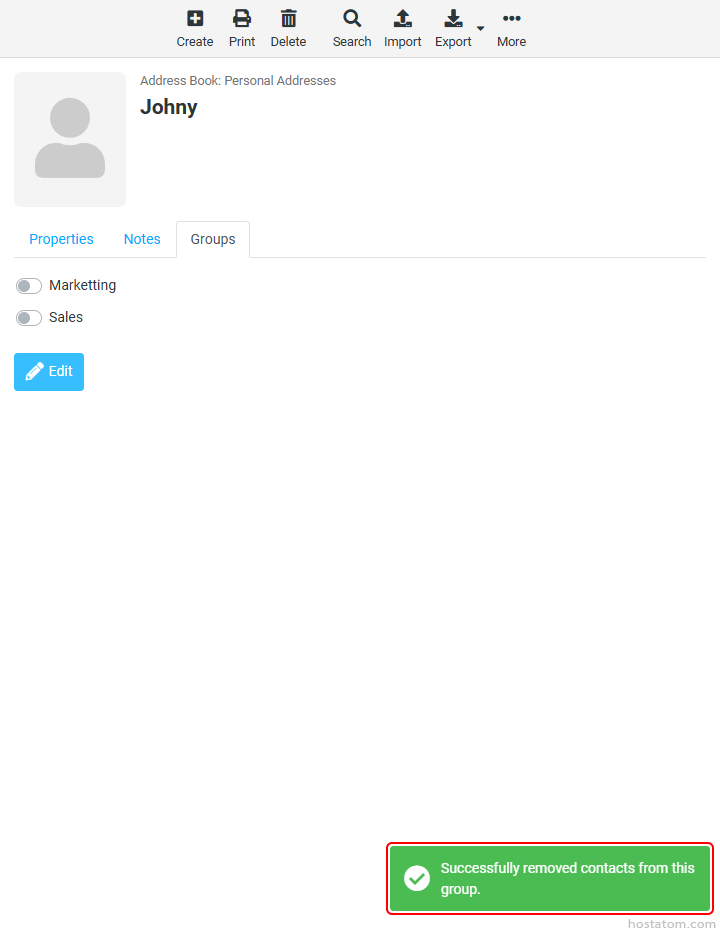
ระบบจะแจ้งว่าได้ลบผู้ติดต่อออกจาก Group Contact ดังกล่าวแล้ว

Profile page for Johny with group toggles (Marketing, Sales) and an Edit button.

กรณีที่ลบผู้ติดต่อออกทีละหลายรายชื่อ

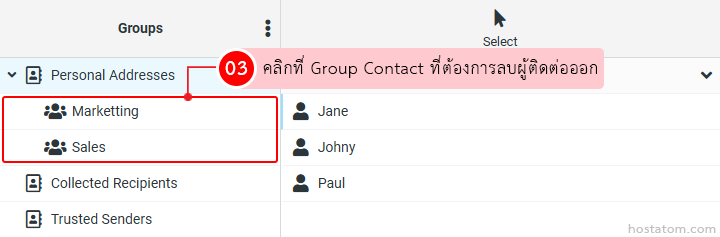
คลิกที่ Group Contact ที่ต้องการลบผู้ติดต่อออก

Group Contacts panel with Personal Addresses expanded to show Marketing and Sales groups selected; names Jane, Johny, and Paul listed.

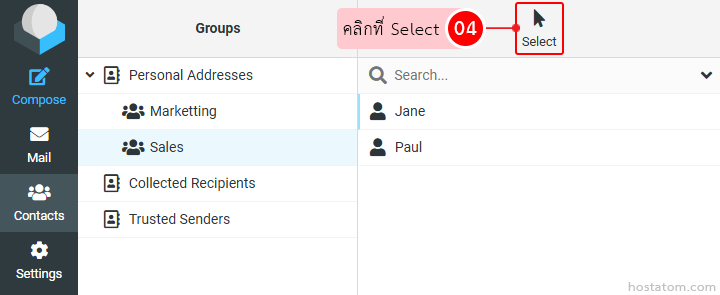
คลิกที่ Select

Email/contact manager UI: left navigation with icons, Groups pane listing Personal Addresses, Marketing, Sales; right pane shows Jane and Paul with a Search field above.

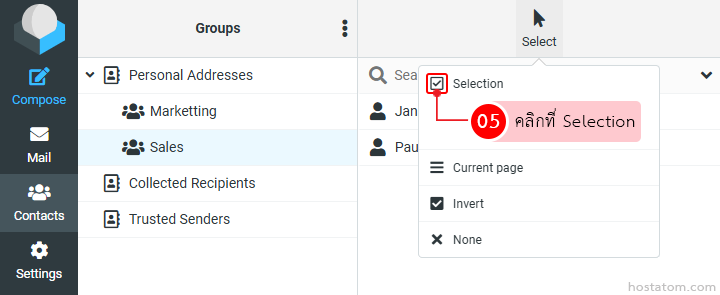
คลิกที่ Selection

Screenshot of an email/contact management UI: vertical left sidebar with icons for Compose, Mail, Contacts, Settings; middle pane lists groups under 'Personal Addresses' including Marketing and Sales; right-click/dropdown menu labeled 'Selection' with a checkbox icon and options 'Current page', 'Invert', 'None'; pink annotation bubble '05 คลิกที่ Selection'

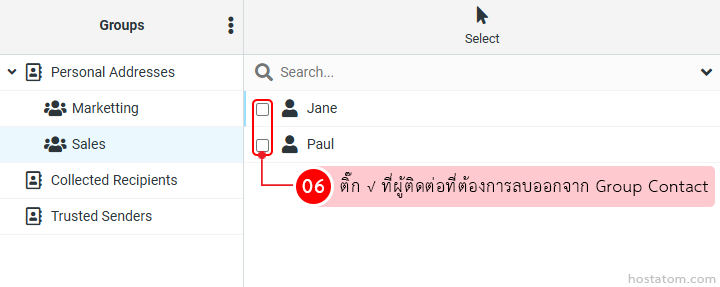
ติ๊ก √ ที่ผู้ติดต่อที่ต้องการลบออกจาก Group Contact

UI of address book showing groups: Marketing and Sales under Personal Addresses, with Jane and Paul listed in Sales and checkboxes to select them; a pink tooltip reads 'ติ๊กที่ ผู้ติดต่อที่ต้องการลบออกจาก Group Contact' (select contacts to remove from Group Contact).

คลิกที่ More

Toolbar with action icons (Create, Print, Delete, Search, Import, Export) and a highlighted More button with a red '07' badge; Thai text says 'Click More'.

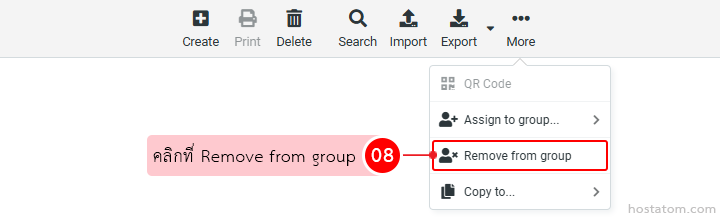
คลิกที่ Remove from group

UI tip: 'Remove from group' option highlighted in a context menu, showing how to remove an item from a group.

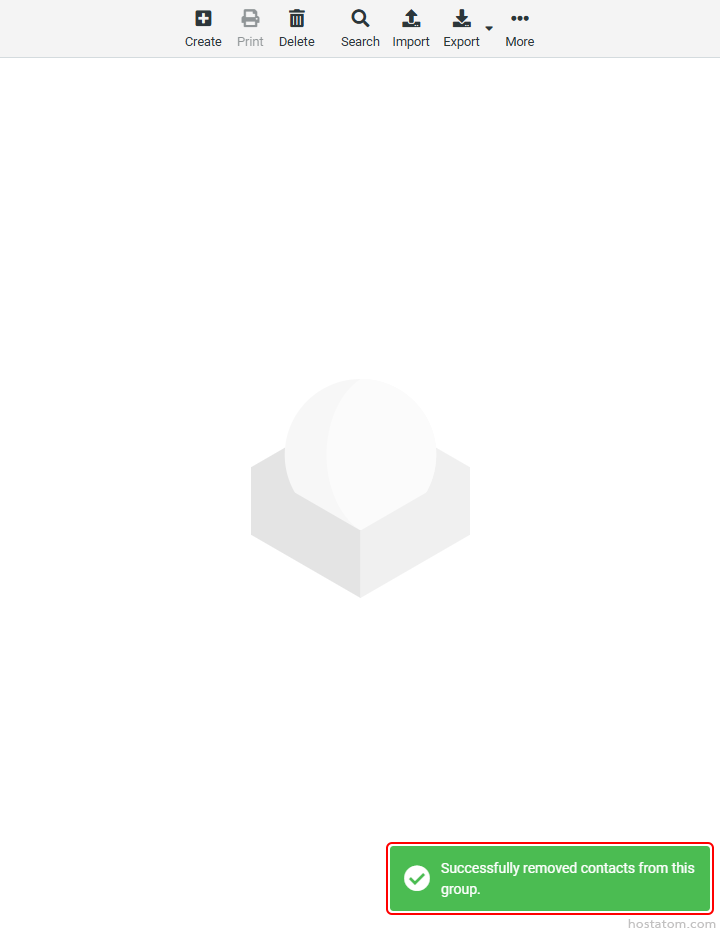
ระบบจะแจ้งว่าได้ลบผู้ติดต่อที่เลือกออกจาก Group Contact ดังกล่าวแล้ว

Empty state illustration: faint 3D hexagon and circle on a white background indicating no content yet

หากคุณกำลังมองหาเว็บโฮสติ้งที่ใช้งานง่ายและปลอดภัย สามารถดูรายละเอียดแพ็กเกจ Web Hosting ของเราได้ที่
👉 https://www.hostatom.com/web-hosting