ชั้น 29 ออฟฟิศเศส แอท เซ็นทรัลเวิลด์

999/9 พระราม 1 กรุงเทพฯ 10330

บริการตลอด 24 ชั่วโมง

ทุกวัน ไม่เว้นวันหยุด

0-2107-3466

โทรเลยดิจะรออะไร

Home DirectAdmin DirectAdmin Admin Level วิธีสั่งให้รายการ backup ที่ตั้งไว้ทำงานทันทีใน DirectAdmin

วิธีสั่งให้รายการ backup ที่ตั้งไว้ทำงานทันทีใน DirectAdmin

สำหรับผู้ที่ใช้งาน control panel ของ DirectAdmin ในระดับ admin สามารถสั่งให้รายการ backup ที่ตั้งไว้ทำงานทันทีโดยไม่ต้องรอถึงเวลาที่กำหนด สามารถทำได้ตามขั้นตอนต่อไปนี้

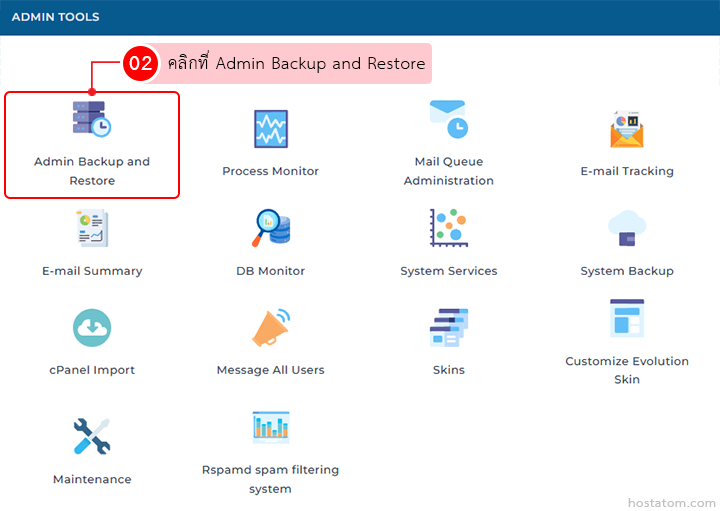
คลิกที่ Admin Backup and Restore ในหมวด ADMIN TOOLS

Admin Tools dashboard with icons for Backup/Restore and other admin utilities, grid layout shown.

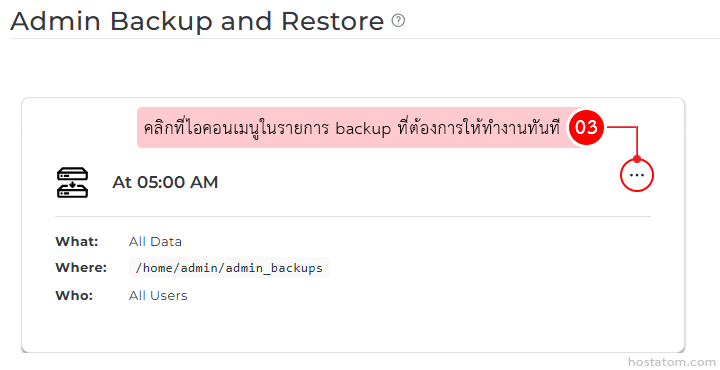
คลิกที่ไอคอนเมนูในรายการ backup ที่ต้องการให้ทำงานทันที

Backup schedule card showing At 05:00 AM, What: All Data, Where: /home/admin/admin_backups, Who: All Users, with a menu button

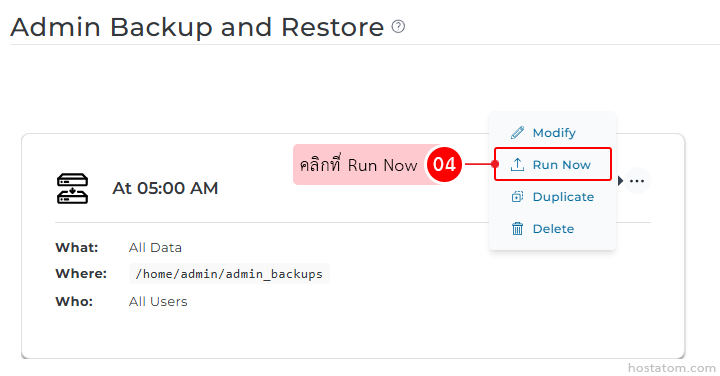
คลิกที่ Run Now

Backup task card showing scheduled At 05:00 AM for All Data; context menu highlights the Run Now action.

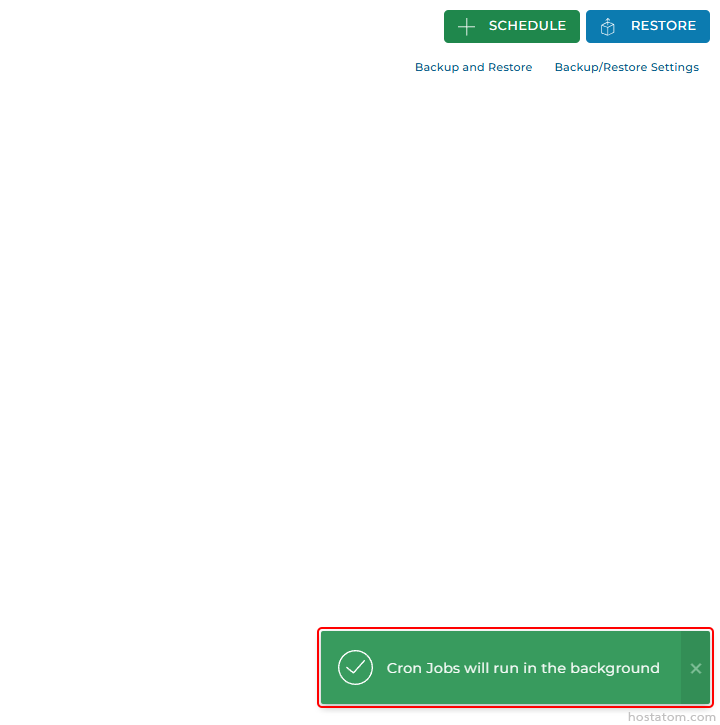
ระบบจะแจ้งว่าได้สั่งให้เริ่มการ backup ดังกล่าวแล้ว
Top-right: green Schedule and blue Restore buttons with backup links; bottom-right green notification reads 'Cron Jobs will run in the background'

หากคุณกำลังมองหาเว็บโฮสติ้งที่ใช้งานง่ายและปลอดภัย สามารถดูรายละเอียดแพ็กเกจ Web Hosting ของเราได้ที่
👉 https://www.hostatom.com/web-hosting