ชั้น 29 ออฟฟิศเศส แอท เซ็นทรัลเวิลด์

999/9 พระราม 1 กรุงเทพฯ 10330

บริการตลอด 24 ชั่วโมง

ทุกวัน ไม่เว้นวันหยุด

0-2107-3466

โทรเลยดิจะรออะไร

Home DirectAdmin DirectAdmin User Level วิธีเปลี่ยนรหัสผ่าน Password Protect Directories ใน DirectAdmin

วิธีเปลี่ยนรหัสผ่าน Password Protect Directories ใน DirectAdmin

Change password protect directories DirectAdmin

หลังจากสร้าง Password Protected Directories และเพิ่มผู้ใช้งานเรียบร้อยแล้ว หากต้องการเปลี่ยนรหัสผ่านของผู้ใช้เพื่อเพิ่มความปลอดภัย สามารถดำเนินการได้ตามขั้นตอนต่อไปนี้

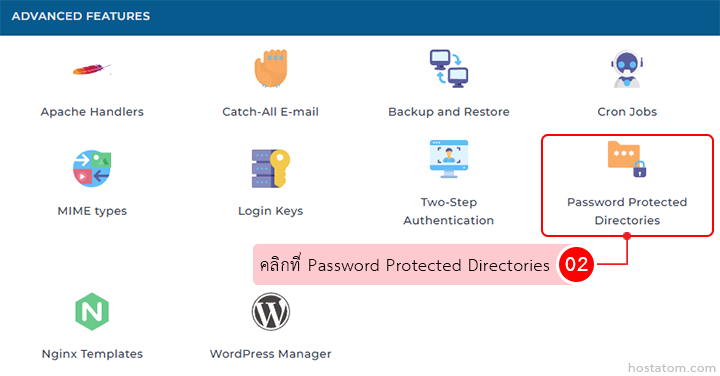
คลิกที่ Password Protected Directories ในหมวด ADVANCED FEATURES

Grid of advanced features; Password Protected Directories icon is outlined in red.

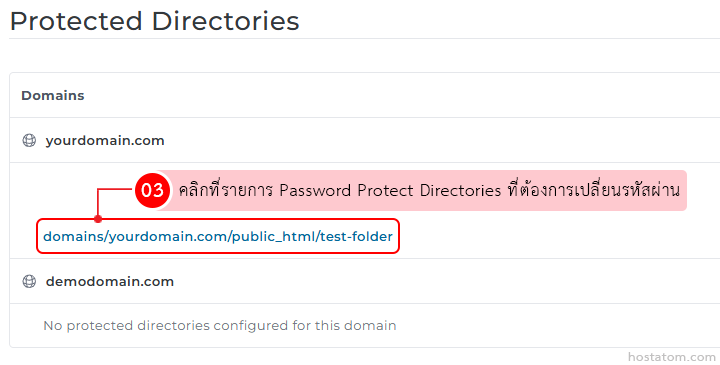
คลิกที่รายการ Password Protect Directories ที่ต้องการเปลี่ยนรหัสผ่าน

Protected Directories page highlighting the folder path domains/yourdomain.com/public_html/test-folder to change its password

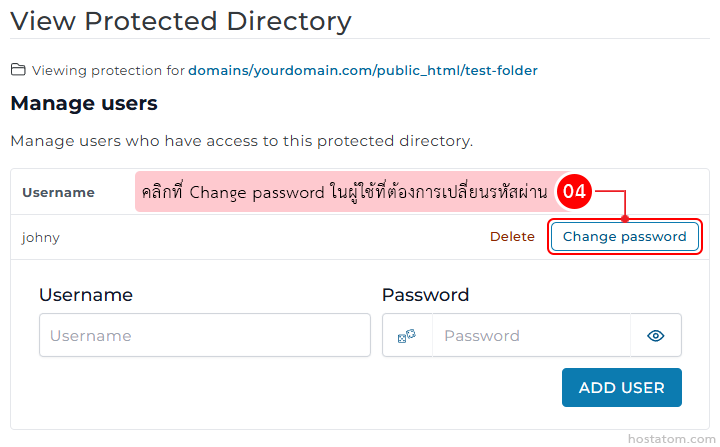
คลิกที่ Change password ในผู้ใช้ที่ต้องการเปลี่ยนรหัสผ่าน

Protected directory user management: row for user 'johny' with Delete and a highlighted Change password button; below are inputs for Username and Password and an Add User button.

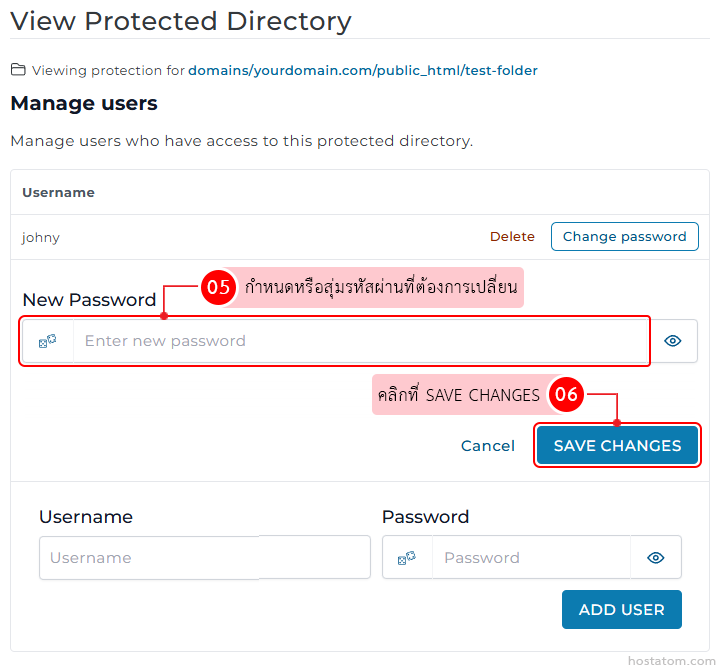
กำหนดหรือสุ่มรหัสผ่านที่ต้องการเปลี่ยนในช่อง New Password จากนั้นคลิกที่ SAVE CHANGES

Manage users in the protected directory; enter a new password and click Save Changes (button highlighted).

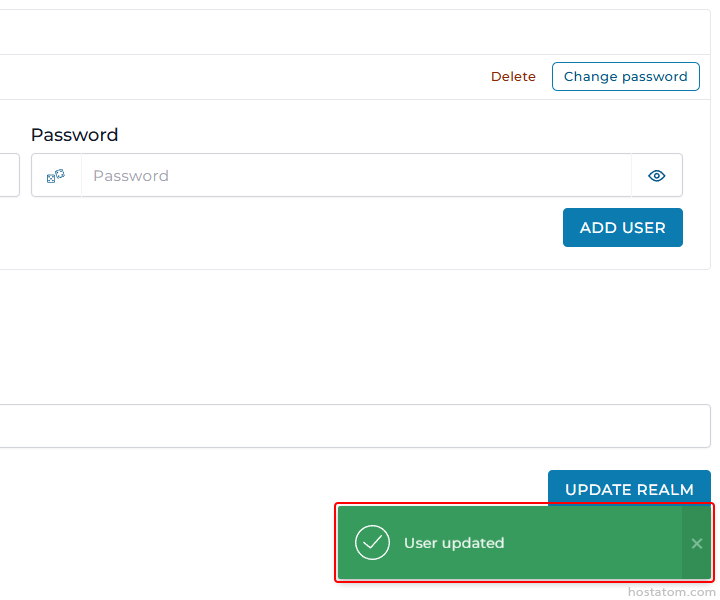
ระบบจะแจ้งว่าได้อัปเดตรหัสผ่านของผู้ใช้ดังกล่าวแล้ว
Form with a Password field and an Add User button; top-right actions Delete and Change password; a green 'User updated' toast at bottom-right with a checkmark.

หากคุณกำลังมองหาเว็บโฮสติ้งที่ใช้งานง่ายและปลอดภัย สามารถดูรายละเอียดแพ็กเกจ Web Hosting ของเราได้ที่
👉 https://www.hostatom.com/web-hosting