ชั้น 29 ออฟฟิศเศส แอท เซ็นทรัลเวิลด์

999/9 พระราม 1 กรุงเทพฯ 10330

บริการตลอด 24 ชั่วโมง

ทุกวัน ไม่เว้นวันหยุด

0-2107-3466

โทรเลยดิจะรออะไร

Home Roundcube วิธีเปลี่ยนชื่อ Group Contact ใน RoundCube Webmail

วิธีเปลี่ยนชื่อ Group Contact ใน RoundCube Webmail

หลังจากสร้าง Group Contact ใน Roundcube Webmail แล้ว หากต้องการเปลี่ยนชื่อกลุ่มให้สอดคล้องกับการใช้งาน เช่น เปลี่ยนชื่อทีม เปลี่ยนชื่อแผนก หรือปรับชื่อให้เข้าใจง่ายขึ้น ก็สามารถแก้ไขได้ตามขั้นตอนต่อไปนี้

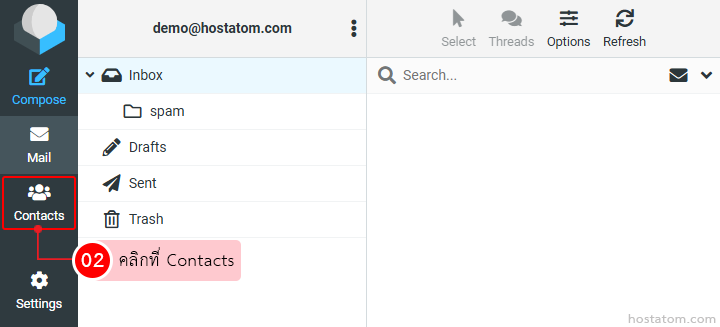
คลิกที่ Contacts

Left-side navigation of an email app; the 'Contacts' tab is selected, highlighted with a red box, indicating to click Contacts.

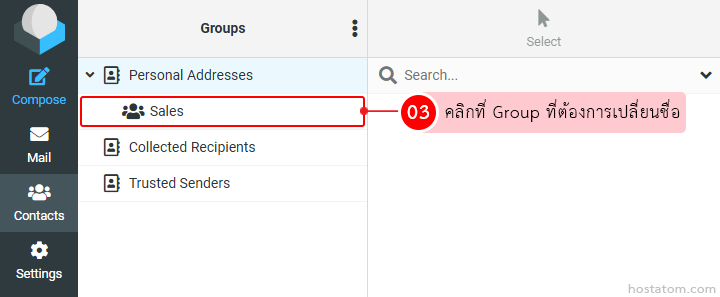
คลิกที่ Group ที่ต้องการเปลี่ยนชื่อ

Contacts interface showing the 'Sales' group selected under Personal Addresses; a pink tooltip explains to click the Group to rename it.

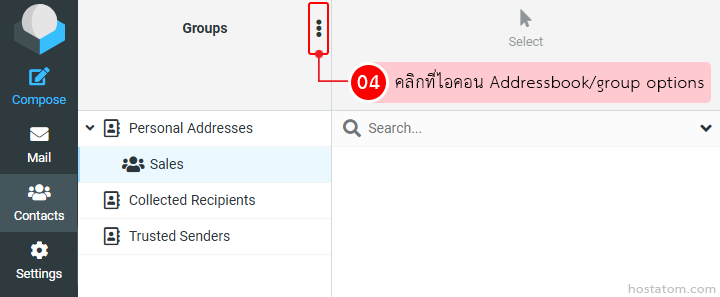
คลิกที่ไอคอน Addressbook/group options

Screenshot of an email/contact manager UI showing a Groups panel with a vertical three-dots menu for address book/group options; left sidebar with icons for Compose, Mail, Contacts, Settings; groups listed as Personal Addresses and Sales.

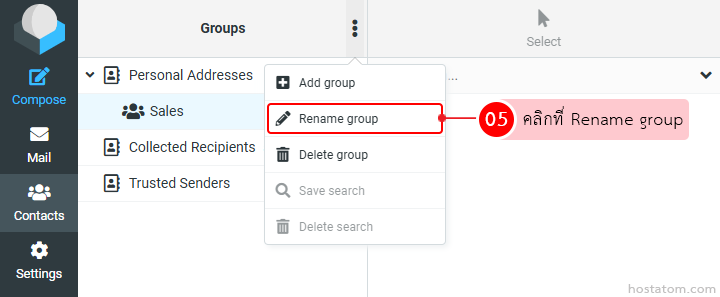
คลิกที่ Rename group

Screenshot of a contacts app: left vertical navigation with icons, Groups panel showing 'Sales' selected; a popup menu with 'Rename group' highlighted, indicating the option to rename the group.

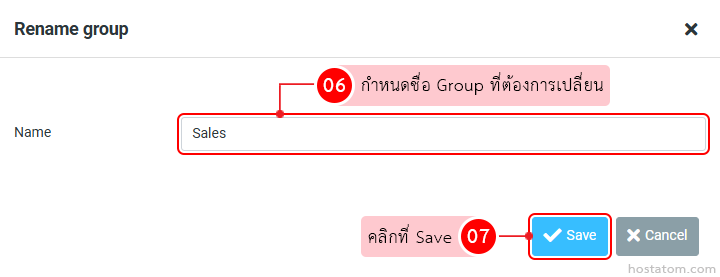
กำหนดชื่อ Group ที่ต้องการเปลี่ยนในช่อง Name จากนั้นคลิกที่ Save

Rename group dialog: Name field shows 'Sales'; pink tips 06 and 07 guide changing the name and saving, with a blue Save button highlighted

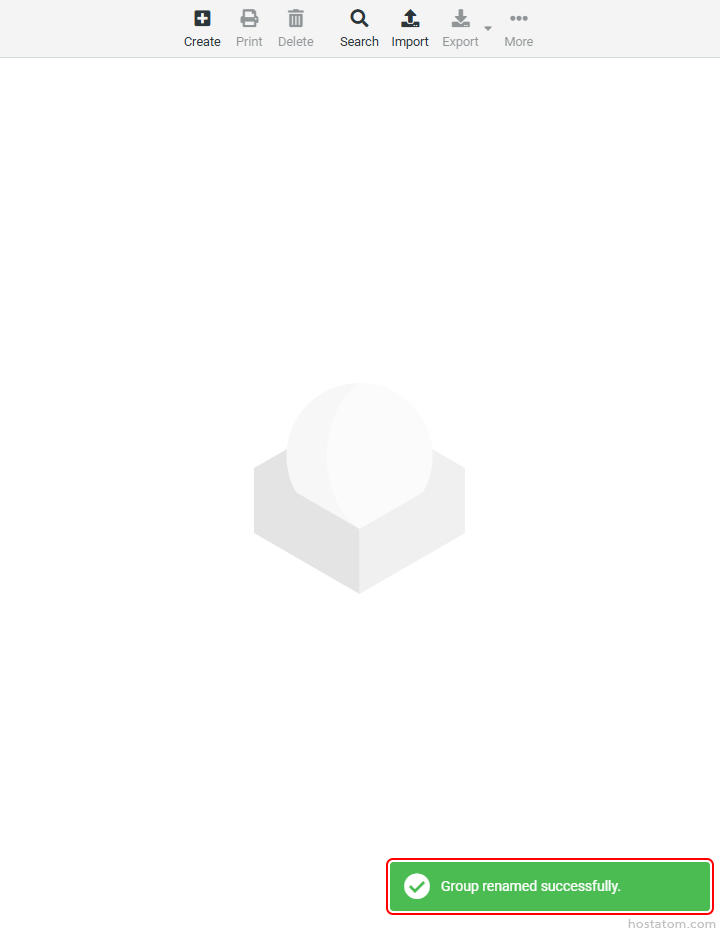
ระบบจะแจ้งว่าได้เปลี่ยนชื่อ Group ดังกล่าวแล้ว

หากคุณกำลังมองหาเว็บโฮสติ้งที่ใช้งานง่ายและปลอดภัย สามารถดูรายละเอียดแพ็กเกจ Web Hosting ของเราได้ที่
👉 https://www.hostatom.com/web-hosting