ชั้น 29 ออฟฟิศเศส แอท เซ็นทรัลเวิลด์

999/9 พระราม 1 กรุงเทพฯ 10330

บริการตลอด 24 ชั่วโมง

ทุกวัน ไม่เว้นวันหยุด

0-2107-3466

โทรเลยดิจะรออะไร

Home Roundcube วิธีแก้ไขข้อมูลผู้ติดต่อใน Roundcube Webmail

วิธีแก้ไขข้อมูลผู้ติดต่อใน Roundcube Webmail

หลังจากเพิ่มรายชื่อผู้ติดต่อใน Roundcube Webmail แล้ว หากข้อมูลของผู้ติดต่อมีการเปลี่ยนแปลง เช่น ชื่อ อีเมล เบอร์โทรศัพท์ หรือข้อมูลบริษัท คุณสามารถกลับมาแก้ไขข้อมูลเหล่านี้ เพื่อให้ข้อมูลใน Address Book เป็นปัจจุบันและพร้อมสำหรับการใช้งานได้ตามขั้นตอนต่อไปนี้

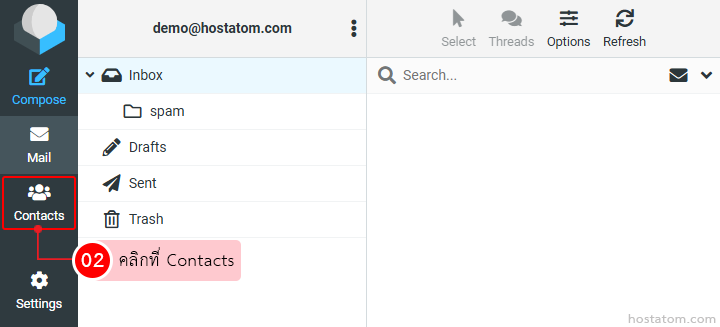
คลิกที่ Contacts

Left-side navigation of an email app; the 'Contacts' tab is selected, highlighted with a red box, indicating to click Contacts.

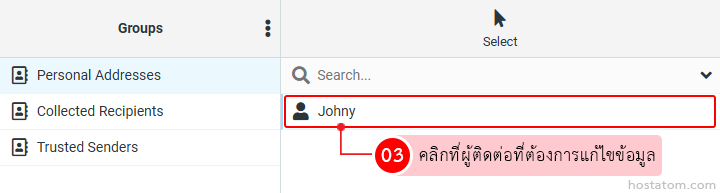
คลิกที่ผู้ติดต่อที่ต้องการแก้ไขข้อมูล

Address book UI with 'Johny' selected from a search/dropdown; left column shows groups (Personal Addresses, Collected Recipients, Trusted Senders).

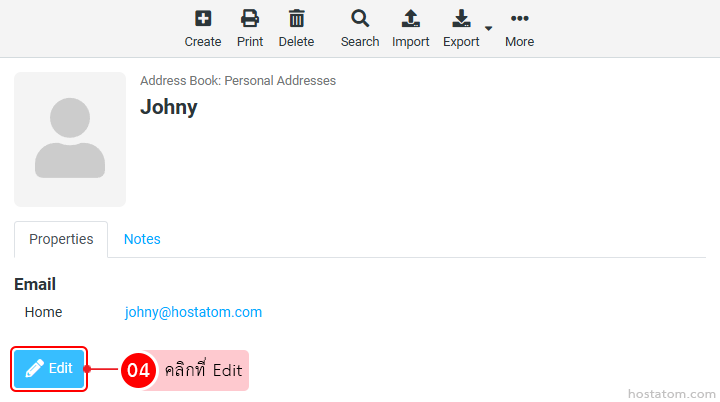
คลิกที่ Edit

Contact card for Johny with email johnny@hostatom.com and an Edit button highlighted in blue with a pencil icon (plus a red notification badge).

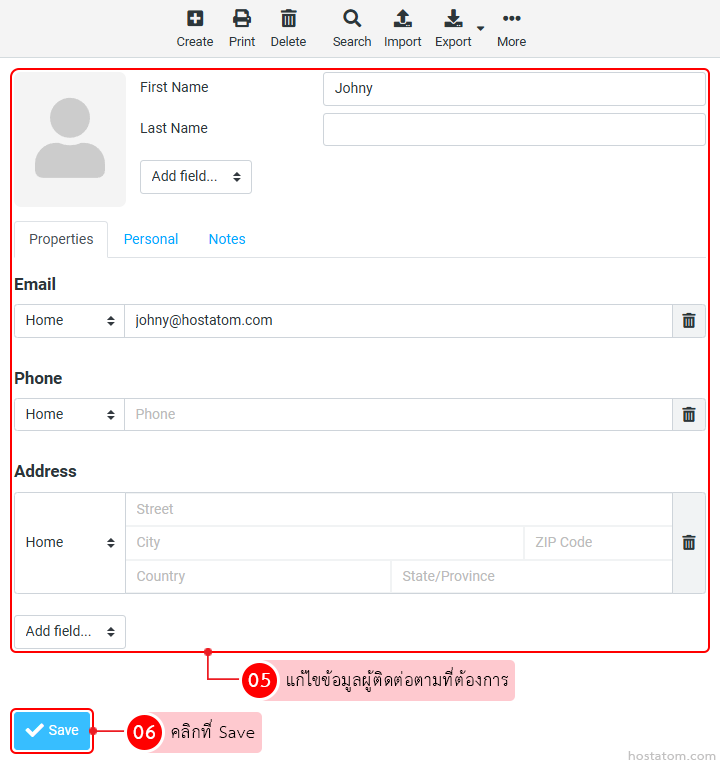
แก้ไขข้อมูลผู้ติดต่อตามที่ต้องการ เช่น ชื่อ อีเมล เบอร์โทรศัพท์ ที่อยู่ หรือข้อมูลในแท็บ Personal และ Notes เมื่อแก้ไขเรียบร้อยแล้ว ให้คลิกที่ Save

Contact edit screen with a photo placeholder and fields for First Name, Last Name, Email, Phone, Address, plus a Save button in the toolbar

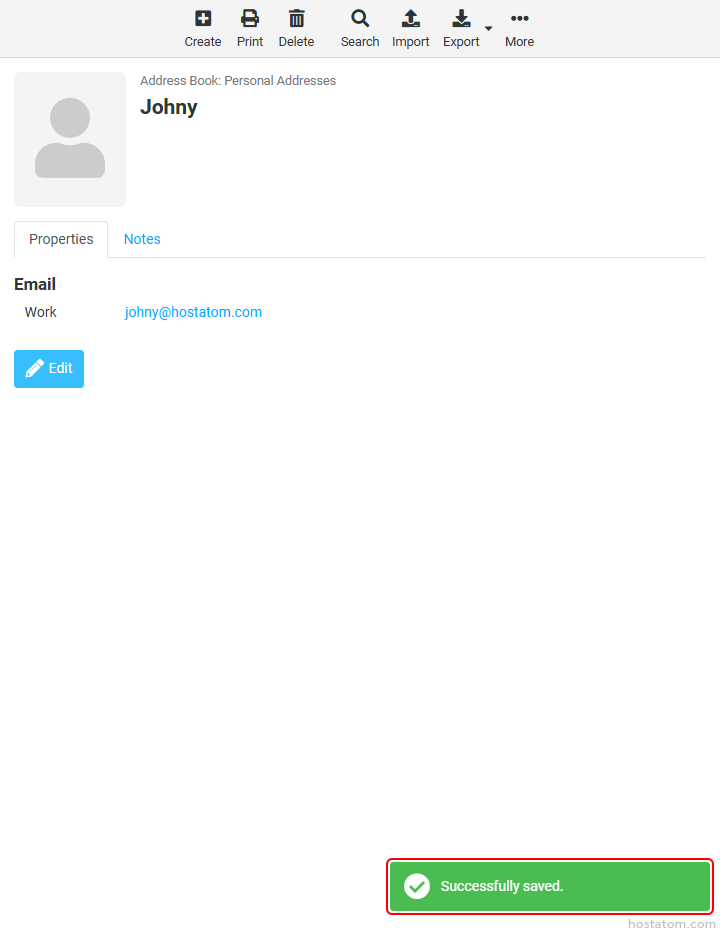
ระบบจะแจ้งว่าได้บันทึกข้อมูลของผู้ติดต่อดังกล่าวแล้ว

Profile page for Johny in the address book showing work email johnny@hostatom.com and an Edit button.

หากคุณกำลังมองหาเว็บโฮสติ้งที่ใช้งานง่ายและปลอดภัย สามารถดูรายละเอียดแพ็กเกจ Web Hosting ของเราได้ที่
👉 https://www.hostatom.com/web-hosting