ชั้น 29 ออฟฟิศเศส แอท เซ็นทรัลเวิลด์

999/9 พระราม 1 กรุงเทพฯ 10330

บริการตลอด 24 ชั่วโมง

ทุกวัน ไม่เว้นวันหยุด

0-2107-3466

โทรเลยดิจะรออะไร

knowledge base › DirectAdmin › DirectAdmin User Level › วิธีถอนสิทธิ์การเข้าถึงฐานข้อมูลของผู้ใช้ฐานข้อมูลใน DirectAdmin

วิธีถอนสิทธิ์การเข้าถึงฐานข้อมูลของผู้ใช้ฐานข้อมูลใน DirectAdmin

หลังจากที่กำหนดสิทธิ์เข้าถึงฐานข้อมูลให้กับผู้ใช้ฐานข้อมูลแล้ว หากภายหลังมีผู้ใช้งานที่ไม่จำเป็นต้องเข้าถึงฐานข้อมูลแล้ว ไม่ว่าจะมีการเปลี่ยนผู้ดูแลเว็บไซต์ ยกเลิกการใช้งาน หรือปรับโครงสร้างการเข้าถึงฐานข้อมูล ก็สามารถถอนสิทธิ์การเข้าถึงออก เพื่อให้การจัดการฐานข้อมูลเป็นระเบียบและมีความปลอดภัยมากขึ้นได้ตามขั้นตอนต่อไปนี้

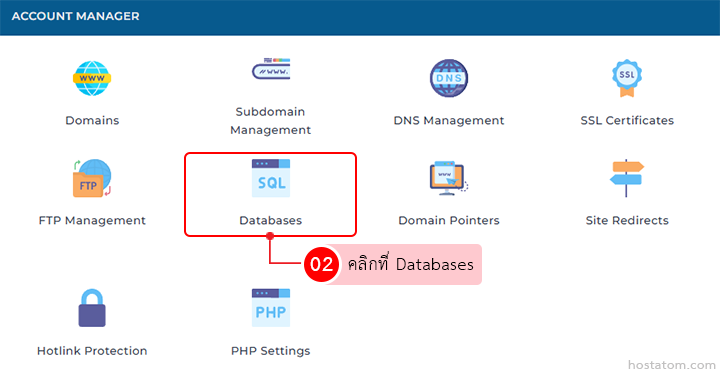
คลิกที่ Databases ในหมวด ACCOUNT MANAGER

Account Manager dashboard; Databases tile highlighted with red outline among domain management options.

กรณีที่ลบผ่านหน้าจัดการฐานข้อมูล

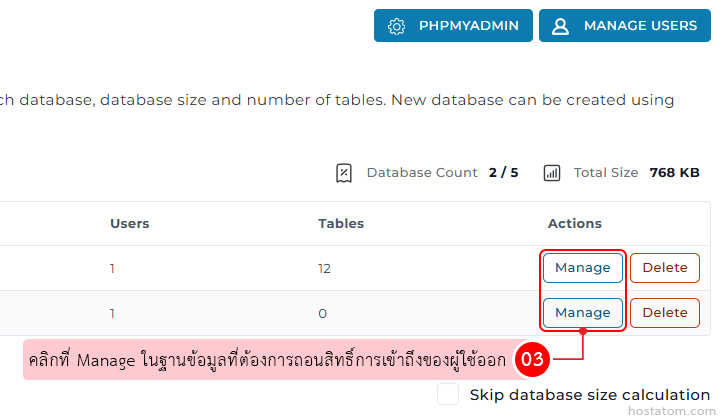
คลิกที่ Manage ในฐานข้อมูลที่ต้องการถอนสิทธิ์การเข้าถึงของผู้ใช้ออก

Database management table with two rows; each row has blue 'Manage' and orange 'Delete' action buttons in the Actions column.

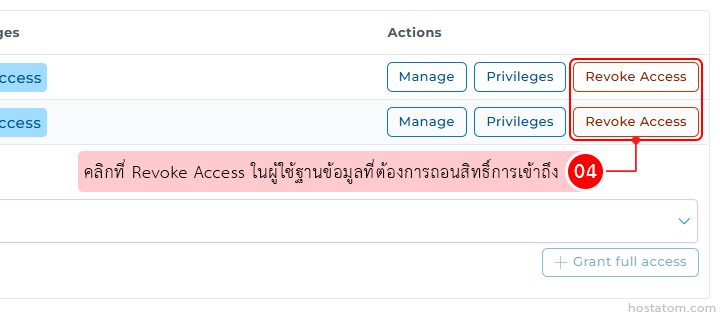
คลิกที่ Revoke Access ในผู้ใช้ฐานข้อมูลที่ต้องการถอนสิทธิ์การเข้าถึง

Row of user permissions with Manage, Privileges, and Revoke Access buttons; a pink instruction bubble highlights Revoke Access with a red outline around the button and a numeric cue (04).

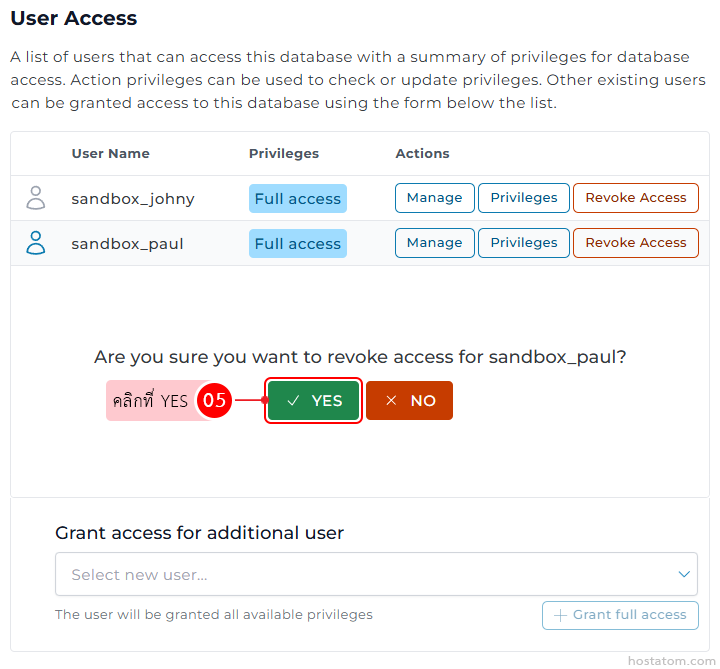
ระบบจะให้ยืนยันการถอนสิทธิ์เข้าถึงฐานข้อมูลของผู้ใช้ฐานข้อมูลที่เลือกอีกครั้ง ให้คลิกที่ YES

User Access screen lists two users (sandbox_johny, sandbox_paul) with Full access and action buttons (Manage, Privileges, Revoke Access); a confirmation dialog asks to revoke access for sandbox_paul with Yes (green) and No (orange); below is a grant access section with a user dropdown.

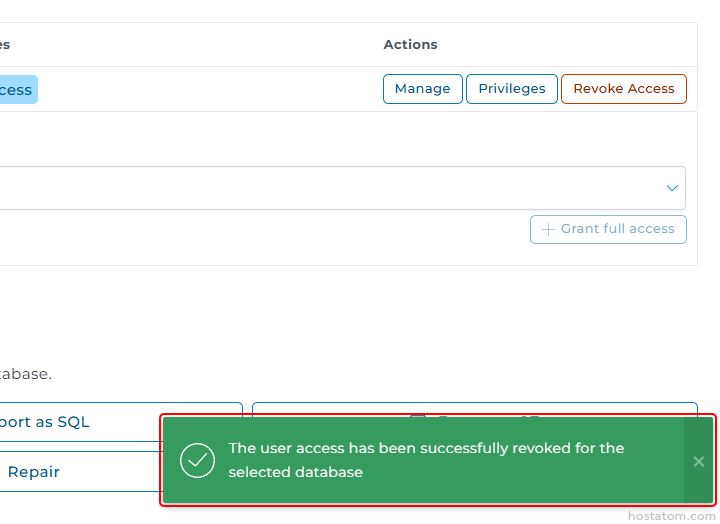
ระบบจะแจ้งว่าได้ถอนสิทธิ์การเข้าถึงฐานข้อมูลของผู้ใช้ฐานข้อมูลดังกล่าวแล้ว

UI panel with database access controls: buttons for Manage, Privileges, Revoke Access; dropdown and Grant full access option; green success toast proving access revoked for the selected database.

กรณีที่ลบผ่านหน้าจัดการผู้ใช้งาน

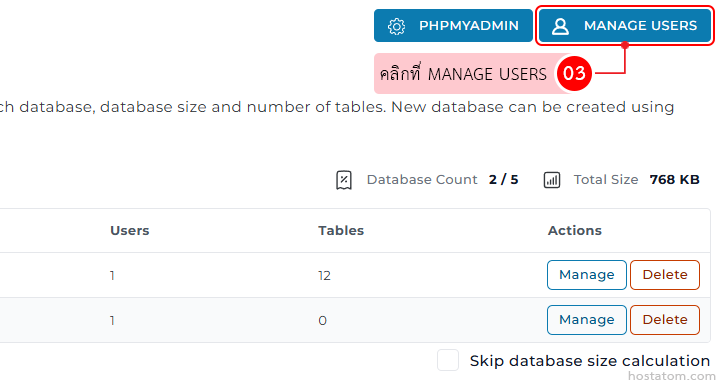
คลิกที่ MANAGE USERS

Admin panel for managing a database: top navigation showing PHPMyAdmin and a highlighted 'Manage Users' button; below is a table with columns Users, Tables, and Actions, with each row containing blue 'Manage' and orange 'Delete' buttons.

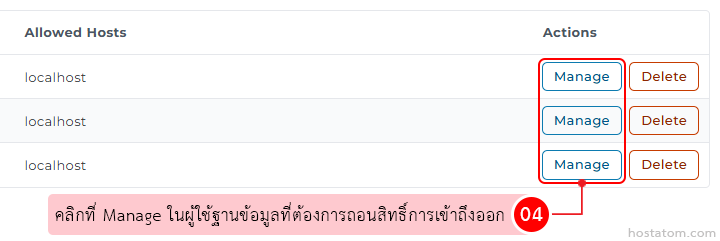
คลิกที่ Manage ในผู้ใช้ฐานข้อมูลที่ต้องการถอนสิทธิ์การเข้าถึงออก

Table of allowed hosts with three localhost rows, each having Manage and Delete actions; instruction bubble shows to click Manage to revoke access.

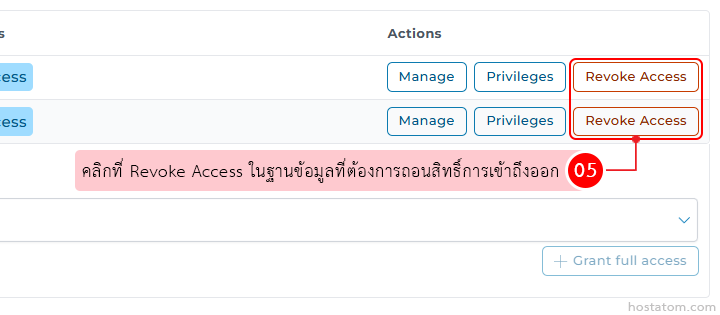
คลิกที่ Revoke Access ในฐานข้อมูลที่ต้องการถอนสิทธิ์การเข้าถึงออก

Admin user-management panel showing action buttons; Revoke Access is highlighted with a Thai tooltip instructing to revoke access in the selected database/record.

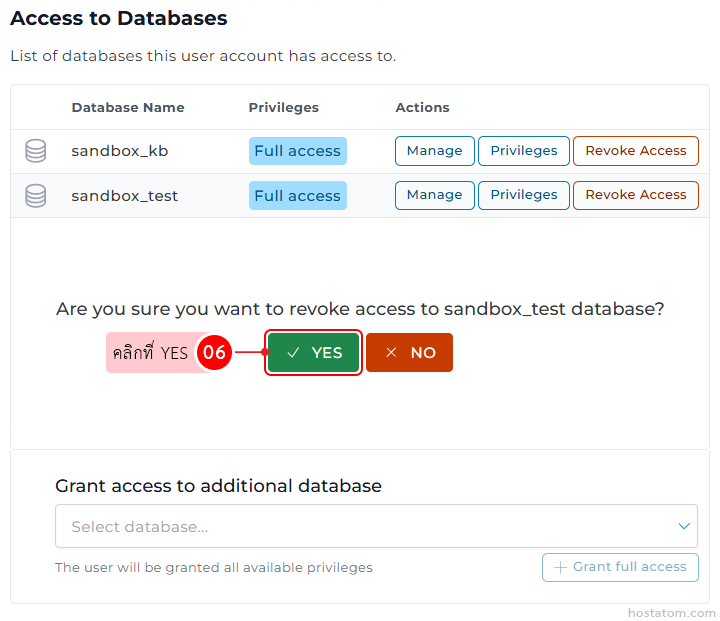
ระบบจะให้ยืนยันการถอนสิทธิ์เข้าถึงฐานข้อมูลที่เลือกอีกครั้ง ให้คลิกที่ YES

Accesses to databases panel listing two databases (sandbox_kb, sandbox_test) with Full access and action buttons (Manage, Privileges, Revoke Access).

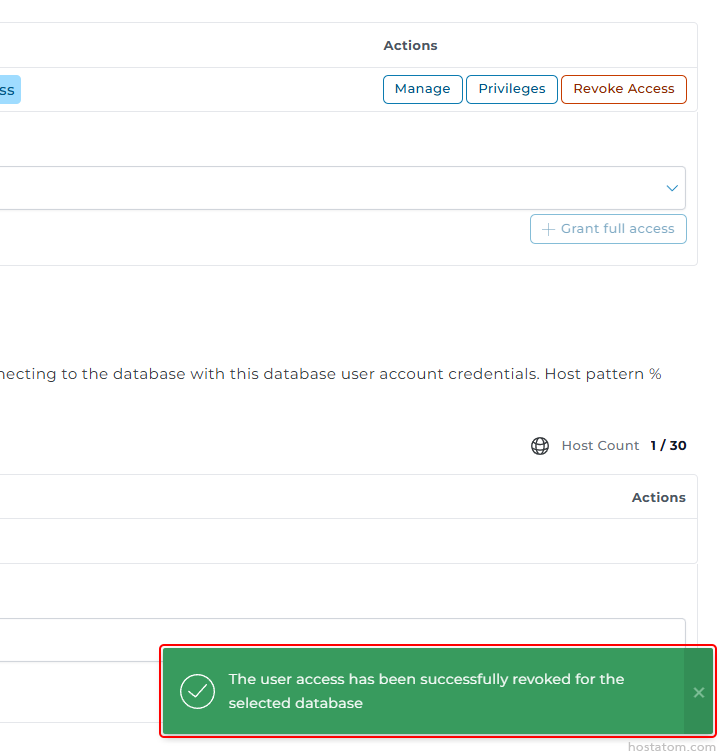
ระบบจะแจ้งว่าได้ถอนสิทธิ์การเข้าถึงฐานข้อมูลฐานข้อมูลดังกล่าวแล้ว
Green success banner with a checkmark: The user access has been successfully revoked for the selected database.

หากคุณกำลังมองหาเว็บโฮสติ้งที่ใช้งานง่ายและปลอดภัย สามารถดูรายละเอียดแพ็กเกจ Web Hosting ของเราได้ที่
👉 https://www.hostatom.com/web-hosting